
We sync your reviews, build your Google feed, connect Merchant Center, fix your products and track your stars. You run the store.
Review2XML syncs the product reviews you already collect in your review app to Google Shopping, so your free listings and Shopping ads can show star ratings. Shoppers see that trust signal before they click, which can lift clicks and sales. Here's everything it does, with demos you can try.
First 50 reviews free No credit card needed Official Google Merchant API
One-click review sync
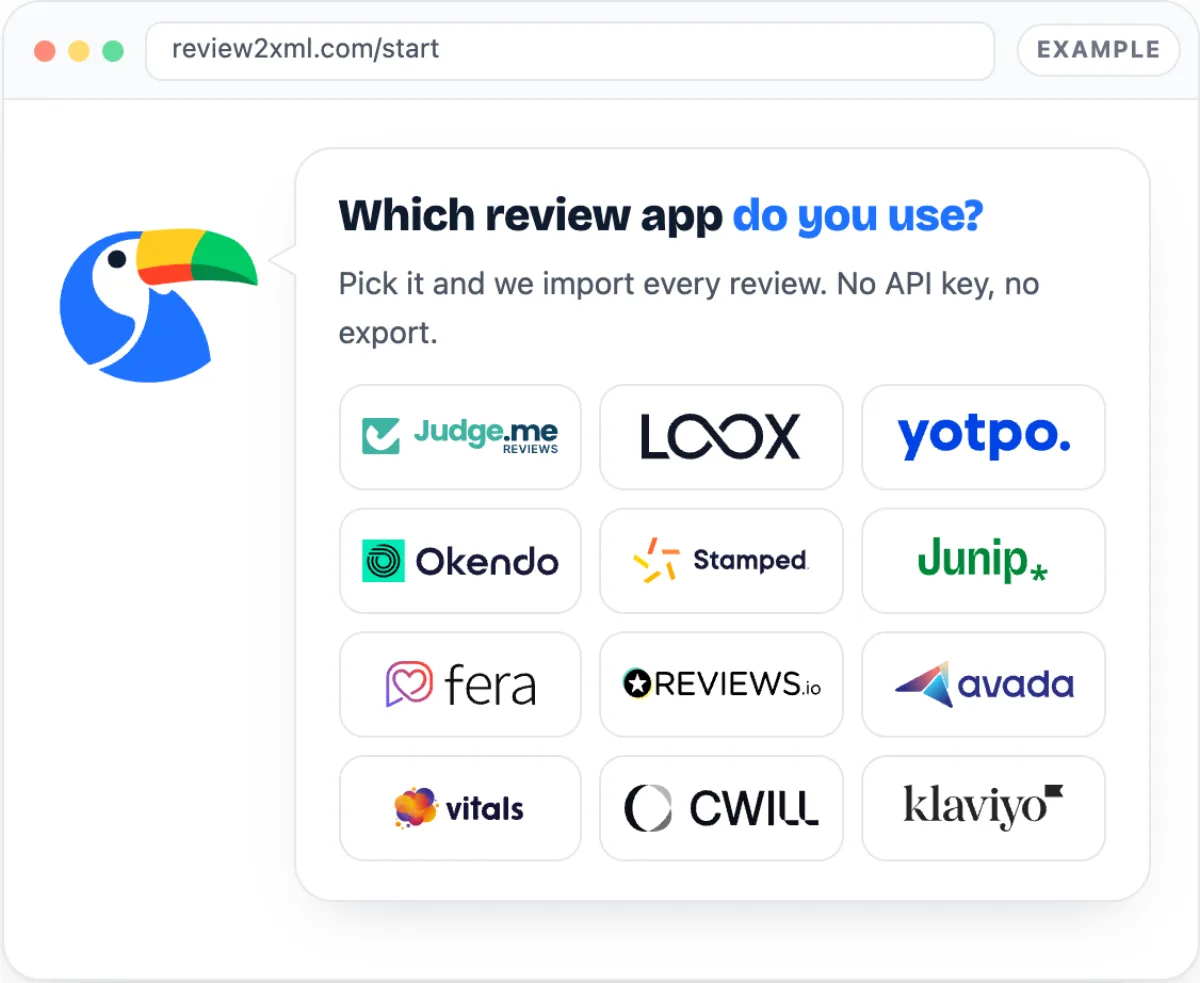
Pick your review app. No API key, no export.
Choose Judge.me, Loox, Yotpo, Okendo, Stamped, Junip, Fera or Reviews.io and we import your published product reviews in one click, on any plan of the app. WooCommerce product reviews connect the same way.
Already have your review app's API key? You can paste it instead. Any other source works with a CSV or a Google Sheets link.
- Works on any plan of your review app
- Only live, published reviews sync. Hidden, spam and deleted reviews stay out of your feed
- Low-star reviews go too, as Google's product ratings policy (opens in a new tab) requires
- Set up in about 2 minutes
Which review app do you use?
Pick it and we import every review. No API key, no export.
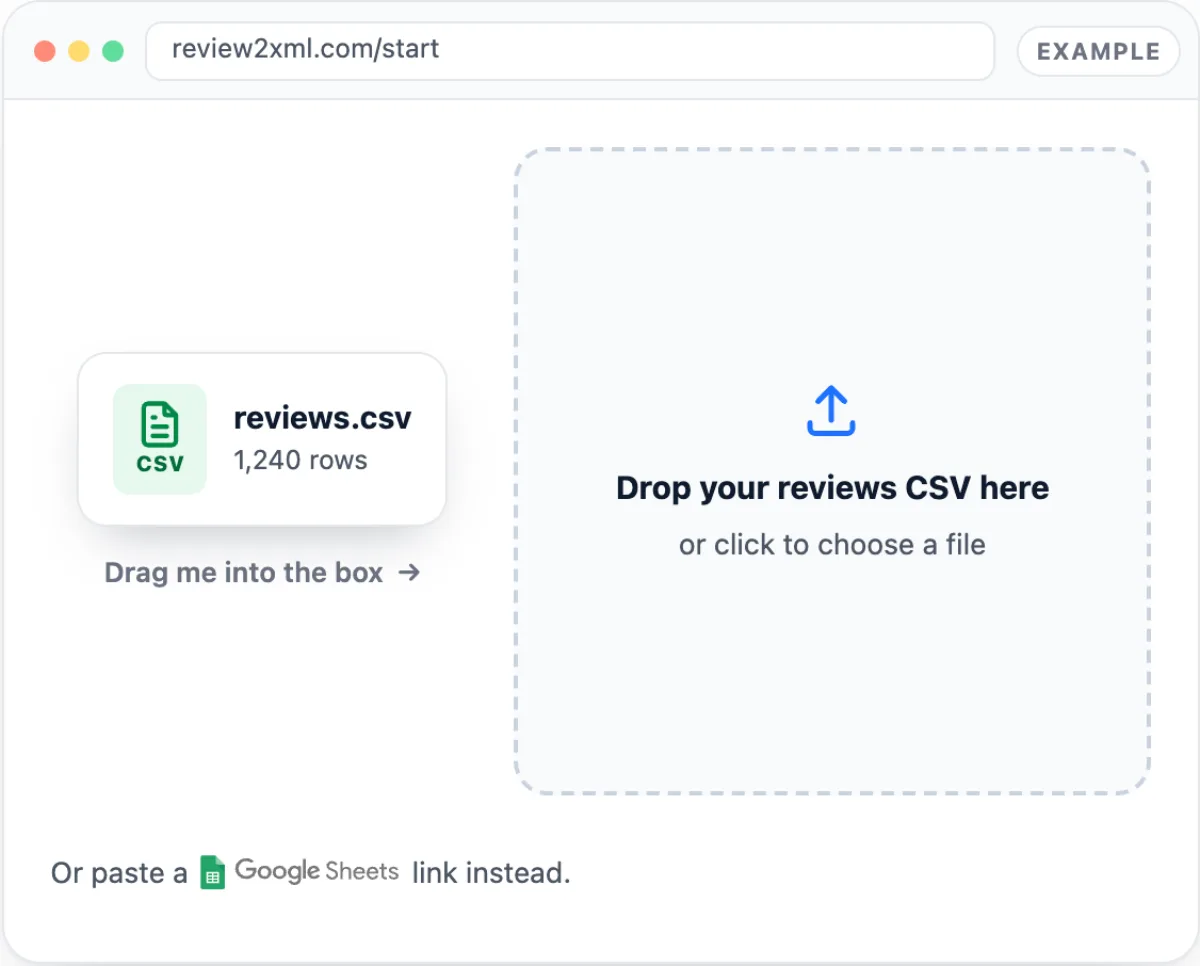
Upload a CSV or link a Google Sheet
For any other review app, or reviews you keep in a spreadsheet.
Drag in a reviews CSV export or paste a published Google Sheets link. We find the rating, review text, reviewer name, date and product columns for you and map them to Google's Product Ratings schema, version 2.4 (opens in a new tab).
- Exports from Trustpilot or any other review app work
- Columns are matched automatically, and you can match any missing product IDs by hand
- A Sheets link syncs like a review app, so new rows reach your feed
Or paste a link instead.
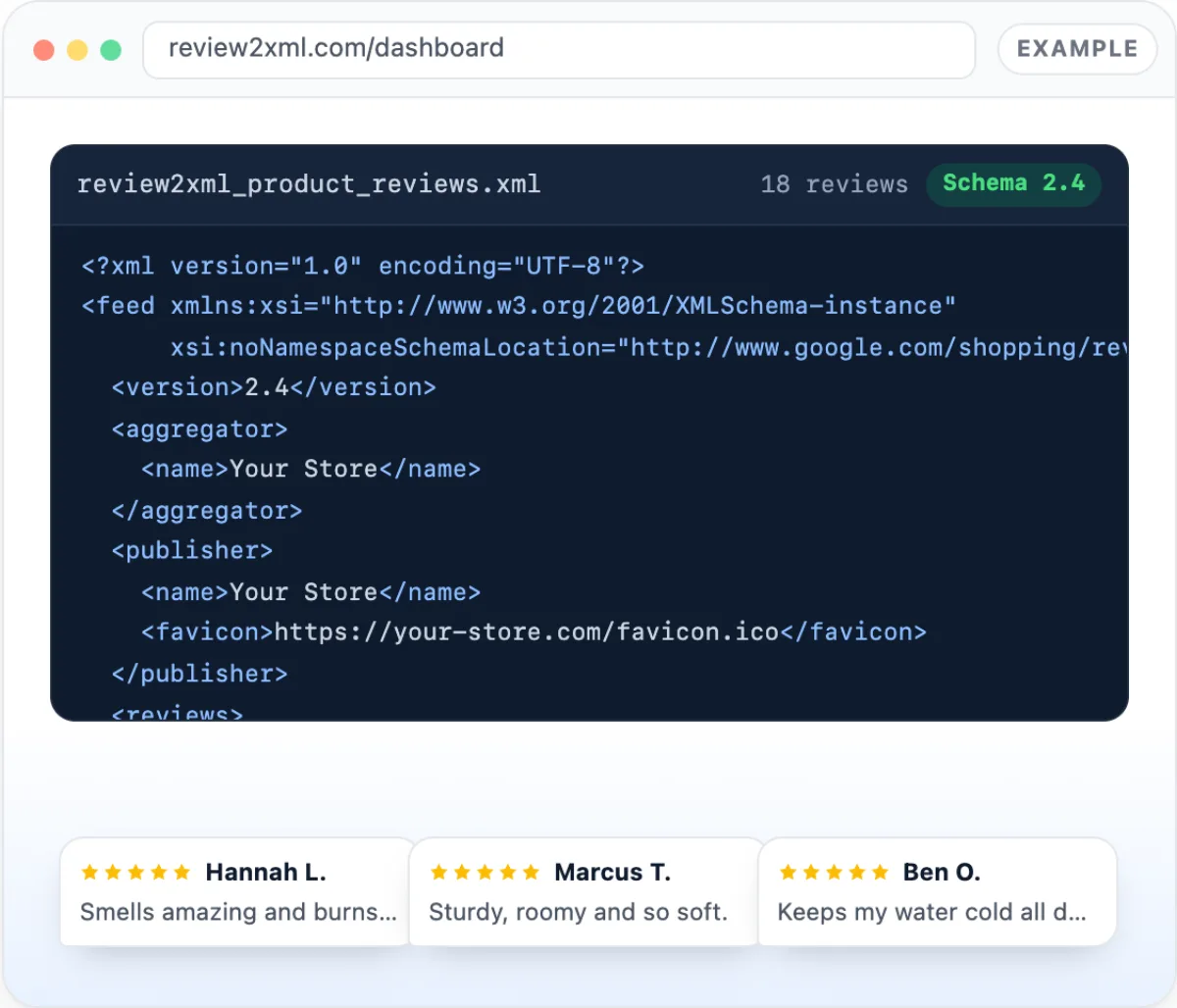
A Product Ratings feed built to Google's schema 2.4
The file Merchant Center reads, built and hosted for you.
Every review becomes an entry in Google's Product Ratings feed format, version 2.4 (opens in a new tab): review ID, reviewer, date, review text, review URL, a 1 to 5 rating, and the product's GTIN, MPN, SKU and brand so Google can match it to the right product.
Text is cleaned and escaped so the file stays valid, and star-only ratings with no written review are left out, because Google only accepts reviews with text.
- Hosted for you at your own live feed URL
- Rebuilt daily and on every sync. Google asks for your full feed at least once a month (opens in a new tab)
- No XML to write manually and no files to upload
Animation: example product reviews float up into a Google Product Ratings XML feed, schema version 2.4, and each one is written into the feed as it arrives.
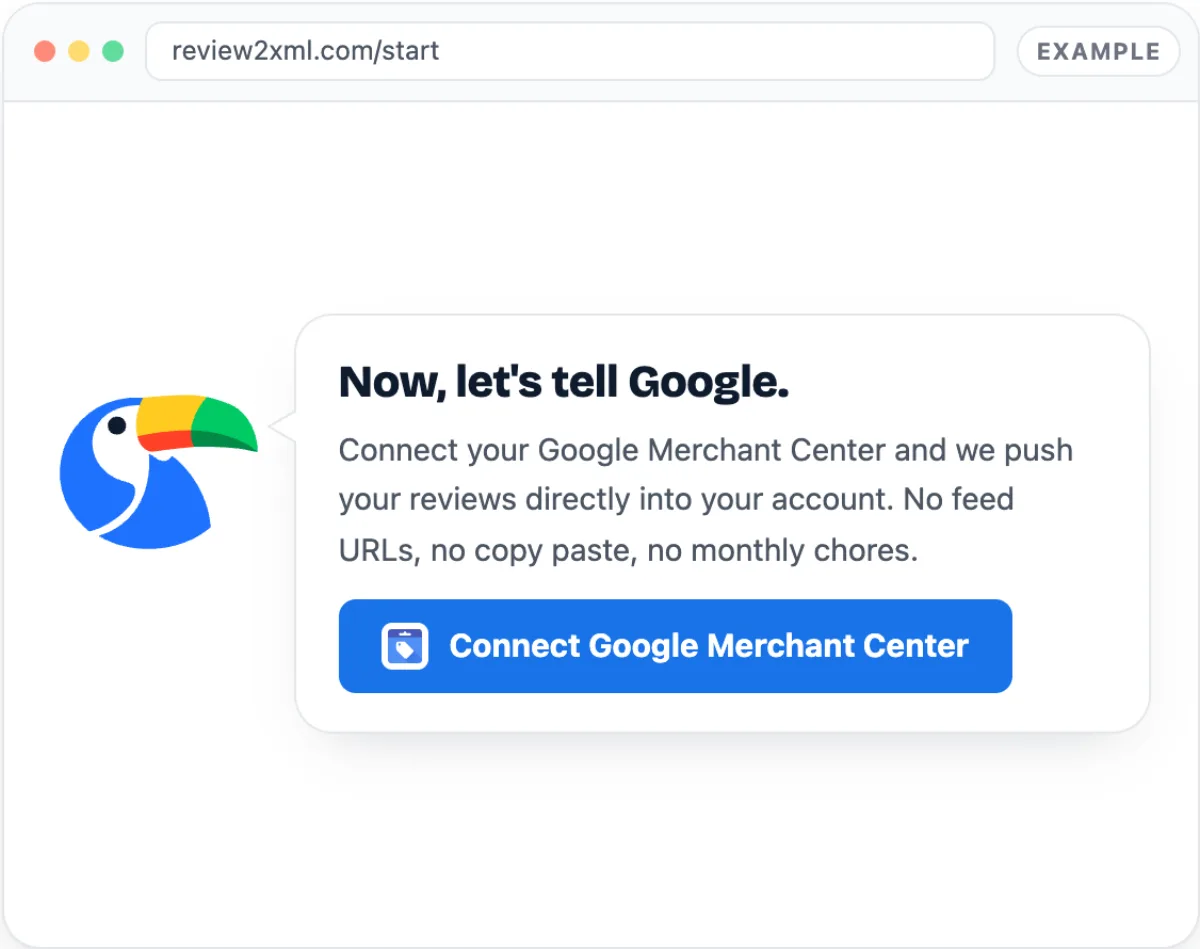
Connect Merchant Center in one click
Through Google's official Merchant API. No file to upload.
Sign in with Google, pick your Merchant Center account, and we send your reviews straight to Google. Once you're connected, we check your reviews against the products in Merchant Center and fill in missing GTINs, brands, SKUs and MPNs, so more reviews match the right product automatically.
Google takes 2 to 4 weeks (opens in a new tab) to show your stars the first time. After that, new reviews show up in 7 to 10 days (opens in a new tab).
- Official Google Merchant API connection, approved by Google in July 2026
- Products matched automatically once connected
- We email you if the connection ever drops
- Prefer not to connect? Your live feed URL is in your dashboard settings, though you miss the ID matching and Shopping stats
Now, let's tell Google.
Connect your Google Merchant Center and we push your reviews directly into your account. No feed URLs, no copy paste, no monthly chores.
See what's live on Google, and what isn't
Your dashboard flags any product that can't show stars.
Your overview shows how many reviews are live on Google, previews of your product cards with stars, your latest reviews and your star coverage. If a product can't show stars, it's marked right on its card and one click takes you to the fix.
A progress line tracks the three steps to stars: your feed is live, Google is connected, and Product Ratings is switched on (opens in a new tab) in your Merchant Center account.
Every warning tells you how to fix it. Not eligible means Google can't identify the product: add a GTIN, or Brand + MPN, or Brand + SKU in your store, then sync. Needs 3 reviews means the product shows stars on Shopping ads once it has 3 reviews (opens in a new tab). Click any product card, or any product in Star coverage, to jump to its row in Product Breakdown.
- Preview cards show how your products look with stars
- Warnings when products or reviews aren't showing, and how to fix them
- Latest reviews and star coverage at a glance
Your reviews, live on Google Shopping


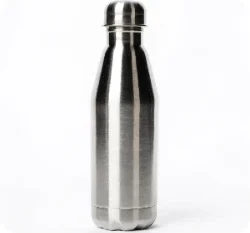


Smells amazing and burns evenly. Already ordered two more as gifts for my sisters.
Super soft and they stay up all day. Would love a few more colours.
Keeps water ice cold through a full shift, and no leaks in my bag so far.
3 of 5 reviewed products can show stars on Google.
Find and fix products Google can't match
Every product, its reviews and the IDs Google needs.
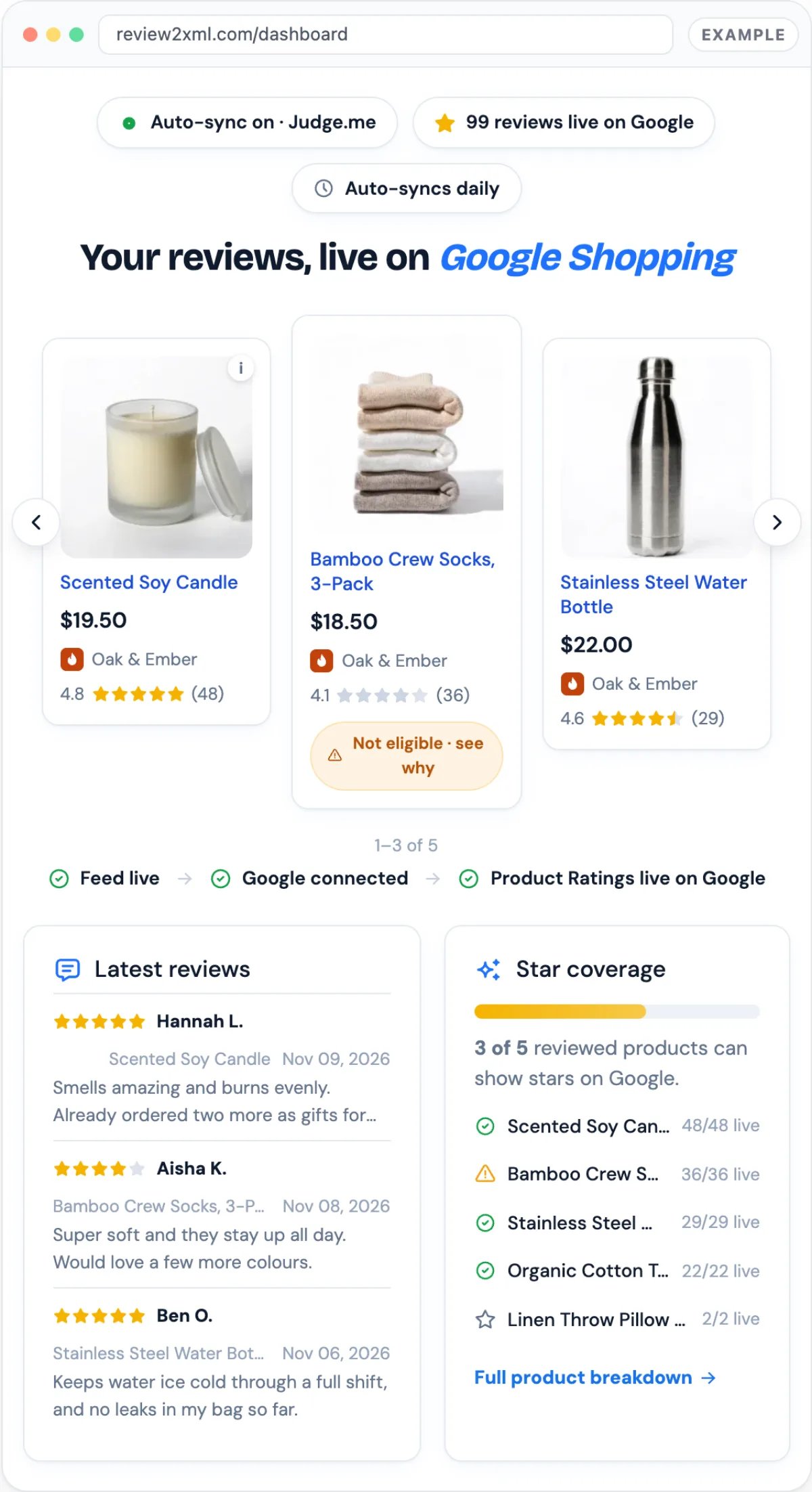
Product Breakdown lists every product with reviews, its review count and average rating, and which identifiers it has. Google matches reviews to products by their identifiers (opens in a new tab): a GTIN, or Brand + MPN, or Brand + SKU. When one is missing, we say exactly what to add and link straight to that product in Shopify or WooCommerce. Add it, hit Sync now, and the product turns eligible.
Google also shows a product's stars on Shopping ads only once it has at least 3 reviews (opens in a new tab), so products below that are flagged too. Products no longer in your store are marked Product not found, because Google can't match reviews to a product that no longer exists.
- Eligible or not, for every product
- Hover an ID to see the value we found
- Links straight to the product so you can fix it
- Flags products that need 3 reviews, or are no longer in your store
Product Breakdown
Per-product review count + which products can show stars on Google.
| Product | Reviews | Identifiers | Stars on Google |
|---|---|---|---|
| Scented Soy Candle | 48 | BRAND: Oak & EmberGTIN: 0860001234565SKU: OE-CANDLE-01MPN not found | Eligible |
| Bamboo Crew Socks, 3-Pack | 36 | BRAND: Oak & EmberGTIN not foundSKU not foundMPN not found | |
| Stainless Steel Water Bottle | 29 | BRAND: Oak & EmberGTIN not foundSKU: OE-BOTTLE-750MPN not found | Eligible |
| Organic Cotton Tote Bag | 22 | BRAND: Oak & EmberGTIN: 0860001234572SKU: OE-TOTE-01MPN not found | Eligible |
| Ceramic Pour-Over Mug | 7 | BRAND: Oak & EmberGTIN not foundSKU: OE-MUG-01MPN not found | |
| Linen Throw Pillow Cover | 2 | BRAND: Oak & EmberGTIN not foundSKU: OE-PILLOW-18MPN not found |
Google Shopping stats for your store and every product
Track clicks, impressions, click-through rate and free listing sales.
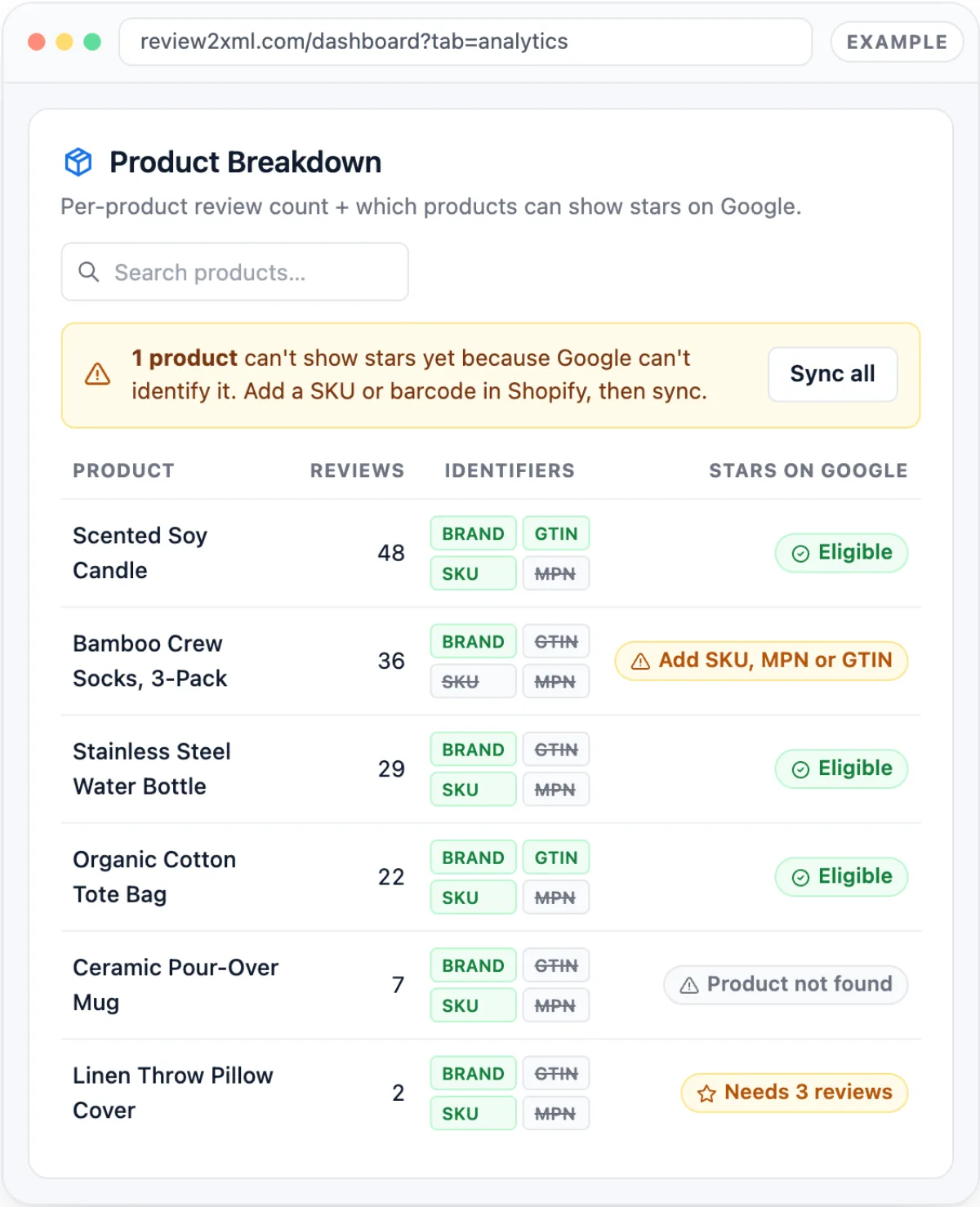
Once Merchant Center is connected, your dashboard pulls your Google Shopping performance for the last 30 or 90 days and compares it with the period before. The product table shows each product's impressions, clicks and click-through rate, and whether its stars are showing on Google.
Click a product's status to jump straight to it in Product Breakdown, where its row lights up so you can see what to fix.
- Store-wide numbers and a row for every product
- Compare the last 30 or 90 days
- Click a status to troubleshoot that product
Google Shopping performance
Last 30 days vs the 30 before. Pulled straight from your connected Google Merchant Center.
Performance by product
Your top products by clicks on Google Shopping, and whether their stars are showing.
| Product | Clicks | CTR | Stars on Google |
|---|---|---|---|
| Scented Soy Candle | 552 | 4.2% | |
| Stainless Steel Water Bottle | 371 | 4.0% | |
| Organic Cotton Tote Bag | 198 | 3.9% | |
| Bamboo Crew Socks, 3-Pack | 97 | 3.7% | |
| Ceramic Pour-Over Mug | 66 | 3.6% |
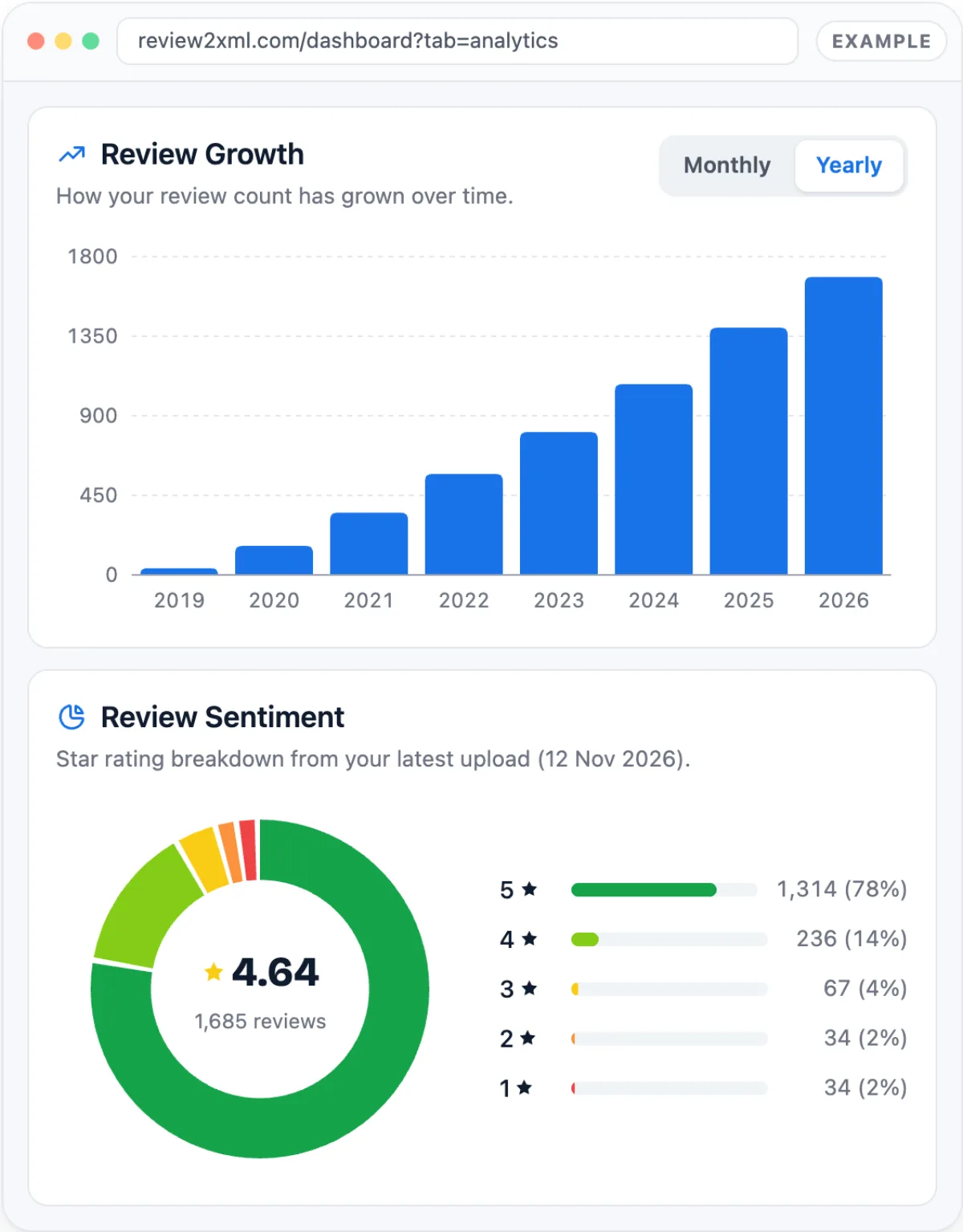
Review growth and sentiment at a glance
How fast reviews come in, and how happy customers are.
A bar chart shows how your review count has grown, month by month or year by year. Hover a bar for the exact count, and the strip under the chart shows the change between periods, in reviews or as a percentage.
The sentiment chart breaks your reviews down by star rating, with your average score in the middle. Handy for spotting a month when reviews took off, or a dip worth looking into.
- Review growth by month or by year
- Change between periods, in reviews or percent
- Star rating breakdown and average
- Updated on every sync
Review Growth
How your review count has grown over time.
Review Sentiment
Star rating breakdown from your latest upload (12 Nov 2026).
- 5 stars1,314 (78%)
- 4 stars236 (14%)
- 3 stars67 (4%)
- 2 stars34 (2%)
- 1 stars34 (2%)
New reviews sync every day
Set it up once. Your feed keeps itself current.
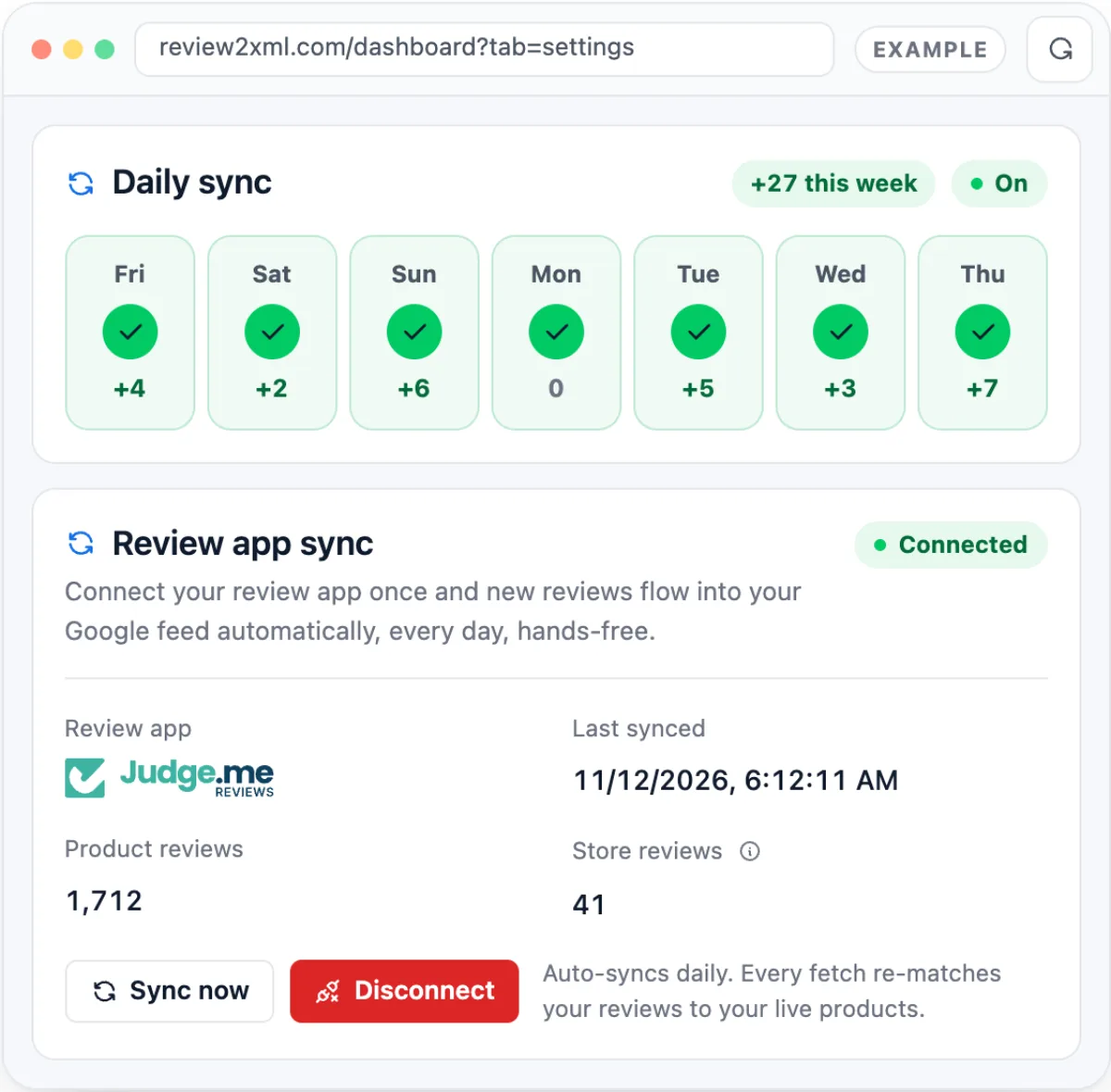
We pick up new reviews from your review app every day and update your feed, so Google always has your latest reviews. Settings shows your last sync and review counts, and Sync now runs one whenever you like.
Uploading CSVs by hand instead? Upload a fresh one at least once a month. Google requires your review data to be uploaded at least once a month (opens in a new tab), and a CSV only changes when you upload a new file.
- Daily sync for review apps and Sheets links
- Last sync, review counts and Sync now in Settings
- Using a CSV? Upload a new one at least once a month
- Fri+44 new reviews synced
- Sat+22 new reviews synced
- Sun+66 new reviews synced
- Mon00 new reviews synced
- Tue+55 new reviews synced
- Wed+33 new reviews synced
- Thu+77 new reviews synced
Review app sync
Connect your review app once and new reviews flow into your Google feed automatically, every day, hands-free.
- Review app

- Last synced
- 11/12/2026, 6:12:11 AM
- Product reviews
- 1,712
- Store reviewsThese are reviews about your shop overall, not a product, so they can't go in a product ratings feed. Google counts store reviews as seller ratings, a separate program.
- 41
Auto-syncs daily. Every fetch re-matches your reviews to your live products.
Every store in one account
For brands with several stores, and agencies with clients.
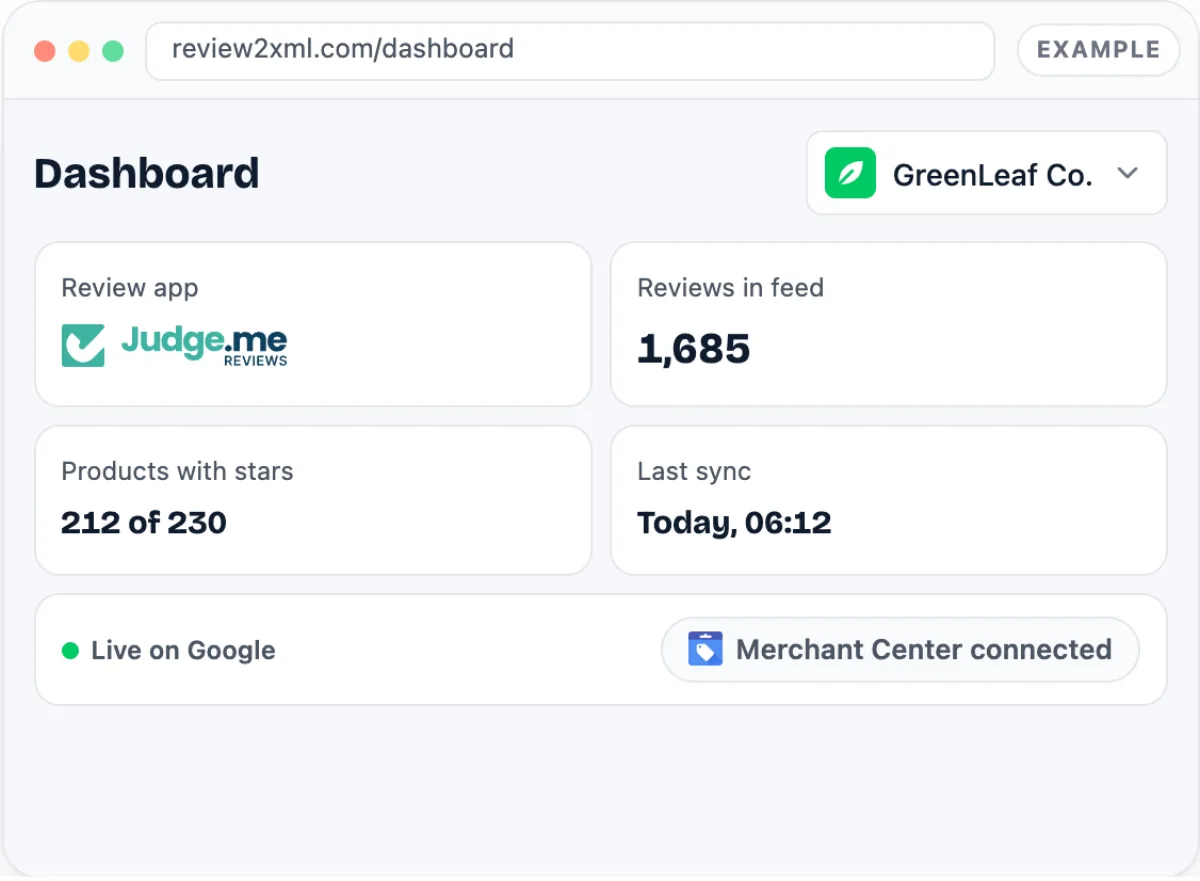
Add your stores to one login and switch between them from the top of your dashboard. Each store keeps its own review app, reviews, feed and Merchant Center connection.
The Agency & Multi-store plan is $129 a year per 5 stores.
- One login to manage all your stores
- Its own review app, feed and Google connection per store
- Add stores in packs of 5
Questions, answered
Which review apps does Review2XML sync with?
Judge.me, Loox, Yotpo, Okendo, Stamped, Junip, Fera and Reviews.io sync in one click with no API key, on any plan of those apps. WooCommerce product reviews connect the same way. Any other source, including Trustpilot, works with a CSV upload or a Google Sheets link.
Do I need an API key?
No. Pick your review app and we import your reviews in one click. If you already have your review app's API key, you can paste it instead.
Do hidden or spam reviews get synced?
No. Review2XML syncs only the reviews that are live and published in your review app. Reviews you've hidden, marked as spam or deleted stay out of your feed. Published low-star reviews do go to Google, as Google's product ratings policy (opens in a new tab) requires.
Does the feed follow Google's Product Ratings schema?
Yes. Every feed follows Google's Product Ratings feed schema, version 2.4 (opens in a new tab), and includes the fields Google needs: review ID, reviewer, date, review text, review URL, a 1 to 5 rating and product identifiers (GTIN, or Brand + MPN, or Brand + SKU).
How do my reviews get to Google?
Connect Google Merchant Center in one click and we send your reviews through Google's official Merchant API (opens in a new tab). Or paste your live feed URL into Merchant Center once and Google fetches it on a schedule, though you'll miss the automatic product ID matching and the Google Shopping stats, which need the connection. Either way your feed is rebuilt daily, and Google asks for your full feed at least once a month (opens in a new tab).
Do I need to re-upload my reviews?
Not if you sync from a review app or a Google Sheets link: new reviews sync every day. If you upload CSVs by hand, upload a fresh one at least once a month, because Google requires your review data to be uploaded at least once a month (opens in a new tab).
Is Review2XML approved to use Google's Merchant API?
Yes. Google reviewed and approved Review2XML's access to its official Merchant API in July 2026, and verified its Google sign-in the same month. That's what lets Review2XML connect to your Merchant Center in one click. Google still decides when your stars show.
Does a valid feed mean my stars will show?
Not on its own. Google runs four separate checks: it enrols you in Product Ratings (the interest form (opens in a new tab), often approved the same day), accepts your feed file, matches each review to a product, then shows stars after its onboarding check. Review2XML handles the feed and the matching, and our fix-or-refund guarantee covers the feed file. Google decides when and where stars show. The four checks, step by step.
How long until stars show on Google Shopping?
Google takes 2 to 4 weeks (opens in a new tab) to show your stars the first time. After that, new reviews show up in 7 to 10 days (opens in a new tab).
How many reviews do I need?
Google needs at least 50 product reviews across your store (opens in a new tab) before it shows ratings from your reviews, and a product's stars show on Shopping ads once it has at least 3 reviews (opens in a new tab). Your first 50 reviews are free.
Why can't some of my products show stars?
Google matches reviews to products by their identifiers (opens in a new tab): a GTIN, or Brand + MPN, or Brand + SKU. Product Breakdown shows which products are missing one and links straight to the product so you can add it.
Can I manage several stores?
Yes. The Agency & Multi-store plan puts every store in one account for $129 a year per 5 stores, each with its own feed and Merchant Center connection.
Is there a Shopify app?
Yes. Review2XML is on the Shopify App Store and is Built for Shopify. The website and the app use the same engine and the same free tier.
Google's rules, with sources
Every Google rule on this page comes from Google's own pages:
- XML Schema Reference, Google Product Review Feeds (opens in a new tab)Google for DevelopersThe feed format every Review2XML feed follows. Google supports version 2.4 only.
- Product Ratings policies (opens in a new tab)Google Merchant Center HelpShare all your reviews, low ratings too, and send your full feed at least once a month.
- Product Ratings eligibility (opens in a new tab)Google Merchant Center HelpAt least 50 reviews across your store. Stars usually go live 2 to 4 weeks after Google's check.
- About Product ratings (opens in a new tab)Google Merchant Center HelpNewly uploaded reviews take up to 7 to 10 days to show.
- What makes up a Shopping ad (opens in a new tab)Google Ads HelpA product needs at least 3 reviews for stars on Shopping ads.
- Overview of Merchant API (opens in a new tab)Google for DevelopersThe official API Review2XML connects your Merchant Center through.
Your competitors already have stars.
Get yours in 2 minutes.
Enter your store URL and send your first 50 reviews to Google Shopping for free.