
How to Get Trustpilot Reviews on Google Shopping
Trustpilot product reviews can show as star ratings on Google Shopping, but Trustpilot's own Google Shopping integration is a paid add-on module that isn't included in its core plans (Google's Product Ratings partner list). Review2XML gives you another route: export your Trustpilot product reviews as a CSV, upload it, and Review2XML builds a Google-compliant Product Ratings feed and connects it to Google Merchant Center in one click through Google's official Merchant API. Your first 50 reviews are free. This guide takes you through every step.
Why showing stars on Google Shopping is worth the effort
A product listing with a star rating tells shoppers something important before they ever visit your store. They see your review score and review count right in the search results, which builds trust before the click. Google takes these ratings from a Product Ratings feed submitted to Merchant Center. Your Trustpilot product reviews contain the data Google needs, once they're in the required XML format.
Product reviews, not service reviews
Google Shopping stars come from product reviews: reviews of a specific item you sell. Trustpilot's classic company reviews (about your store or service) don't count toward product stars. Collecting product reviews on Trustpilot needs a Trustpilot plan that includes them, so check that first.
What you need before you start
- A Trustpilot plan that collects product reviews
- At least 50 product reviews in total across your store (Google's minimum). One review is enough for a product's stars on Shopping listings; Shopping ads need 3 on a product.
- A Google Merchant Center account with your products synced
- A free Review2XML account (your first 50 reviews are free)
Step 1: Export your product reviews from Trustpilot
In Trustpilot Business, go to Manage reviews > Product reviews > Inbox and click Export. Download the CSV file. Make sure the export includes the product SKU or GTIN for each review, because Google uses it to match each review to the right product.
Step 2: Upload your CSV to Review2XML
Enter your store URL
Go to review2xml.com and type your store's web address. Review2XML auto-detects your business name, logo and country, so you just confirm it's your store.
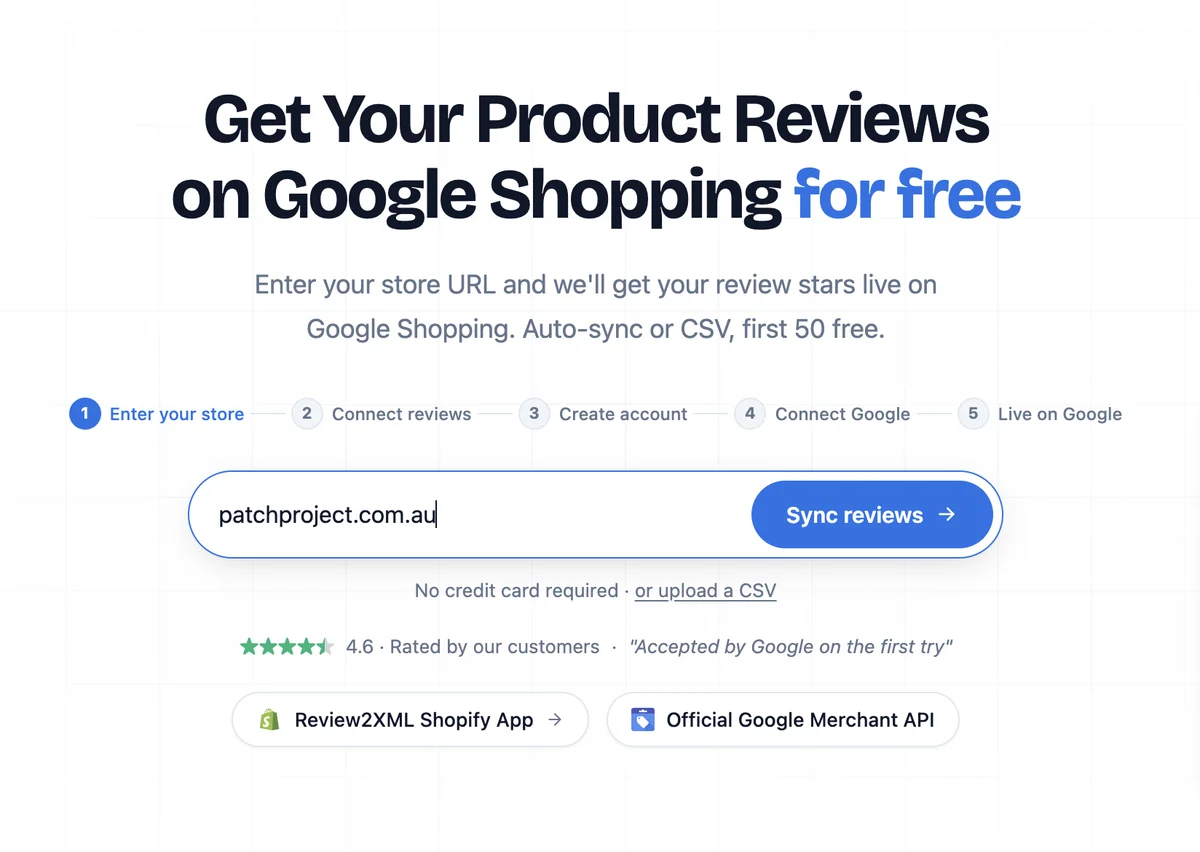 Enter your store URL on review2xml.com.
 Review2XML detects your store automatically.
Choose Upload CSV
In the review app picker, choose Upload CSV (or paste a Google Sheets link) and add your Trustpilot export. Review2XML reads the columns automatically (product identifier, rating, review body, reviewer name, review date) and maps them to Google's schema, so there's no manual mapping.
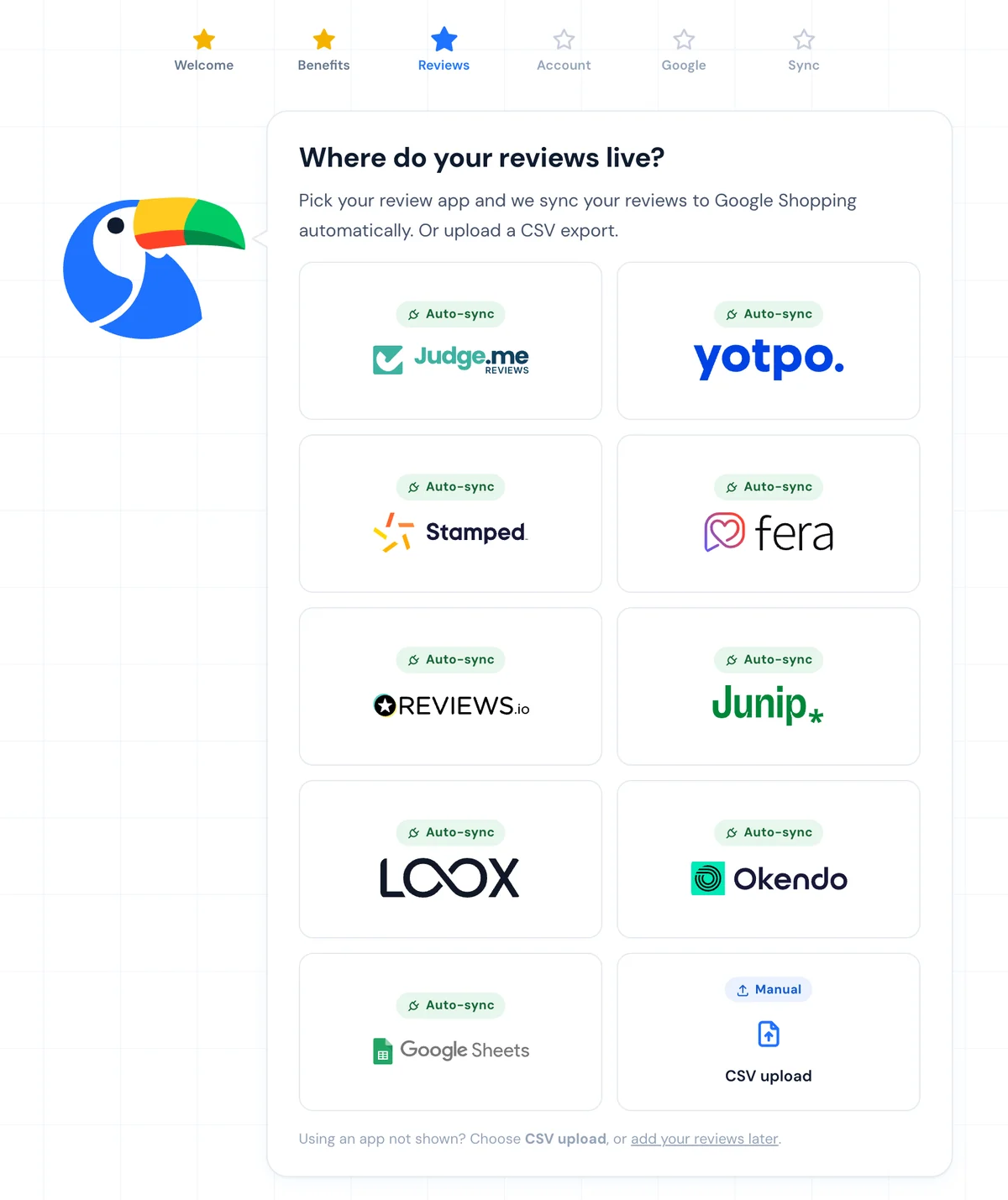 Choose Upload CSV and add your Trustpilot export.
Step 3: Create your free account
Save your store with your email or Google sign-in.
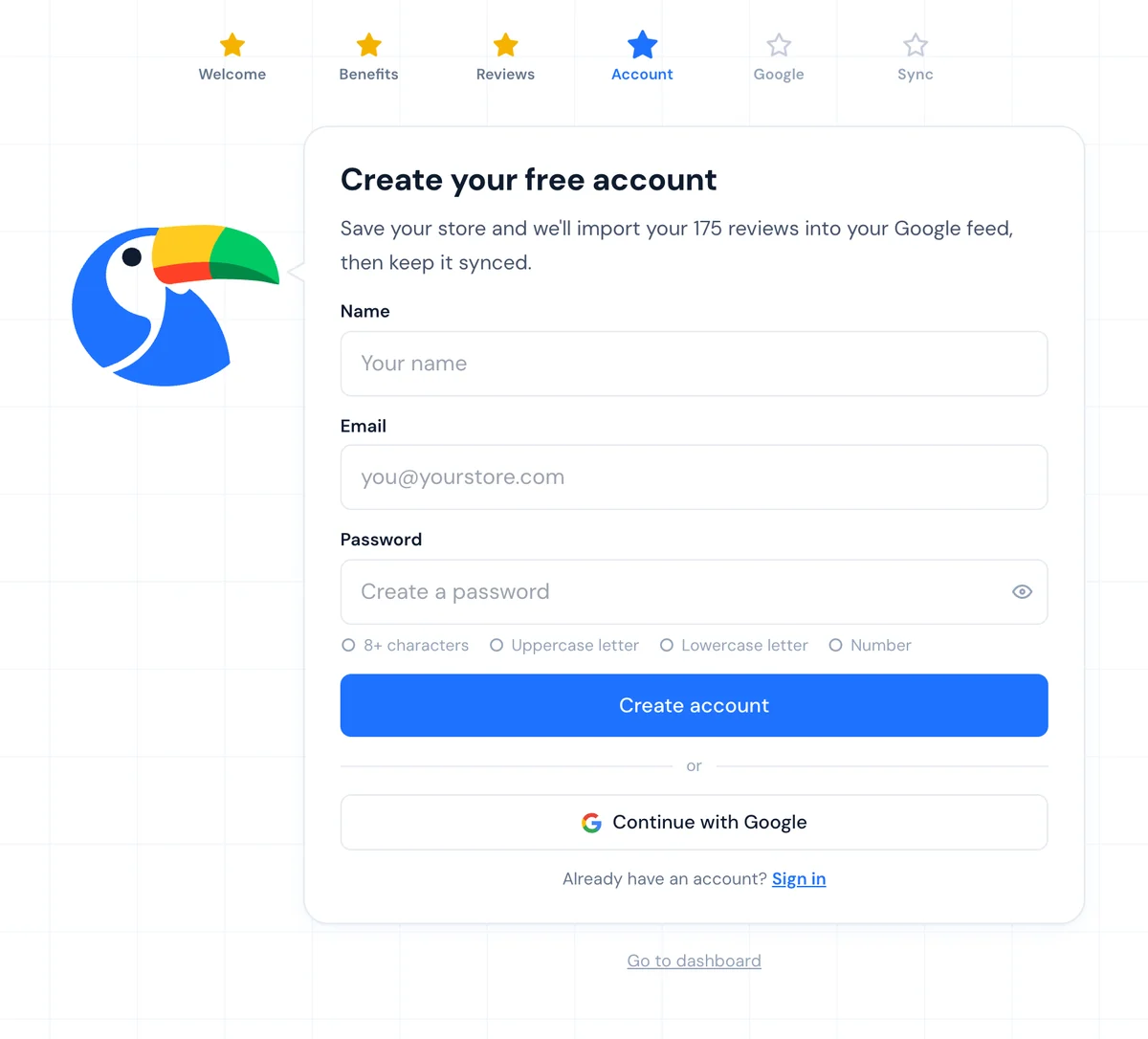 Create your free account to save your store.
Step 4: Connect Google Merchant Center
Click Connect Google Merchant Center and Review2XML pushes your feed straight in through Google's official Merchant API. You also get a hosted feed URL if you'd rather paste a link.
 Connect Google Merchant Center in one click.
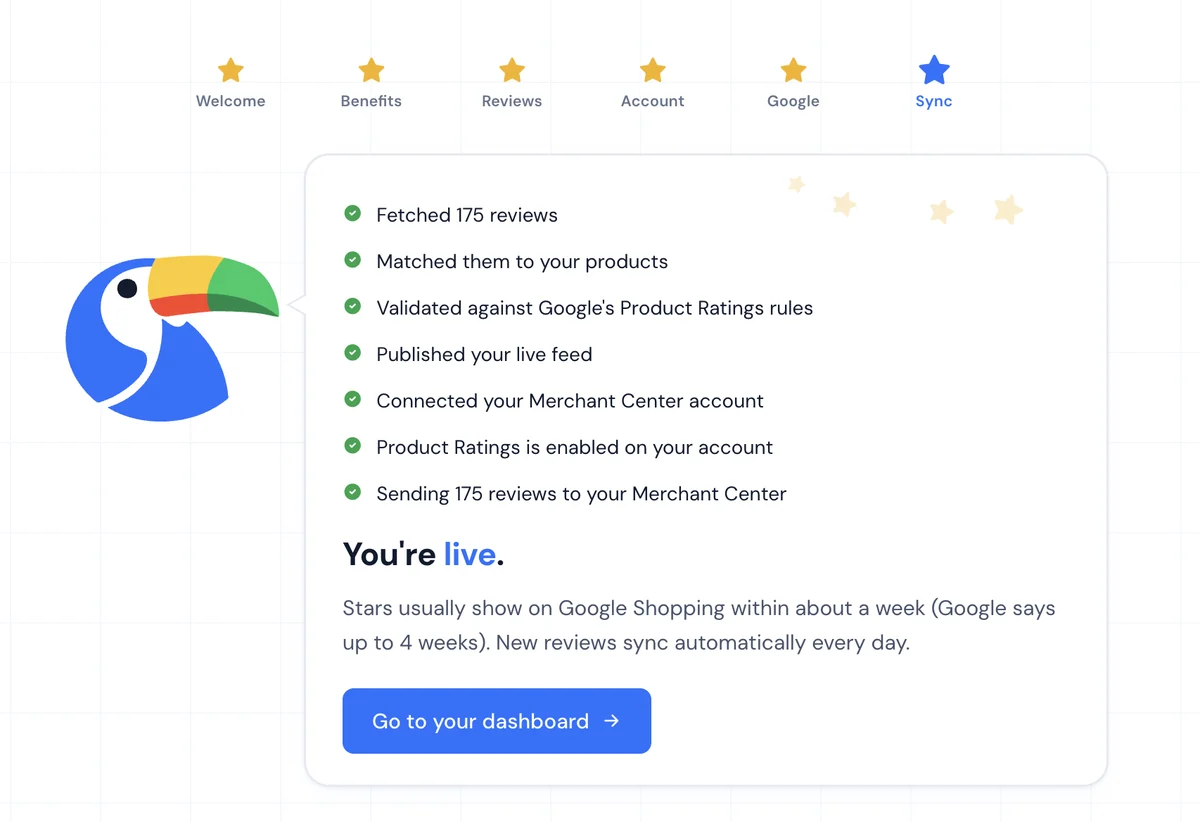 You're live: reviews validated and sent to your Merchant Center.
Your first 50 reviews go live free, no credit card.
Add your feed to Google Merchant Center yourself (optional)
Prefer to paste the link instead of the one-click connection? Here's how:
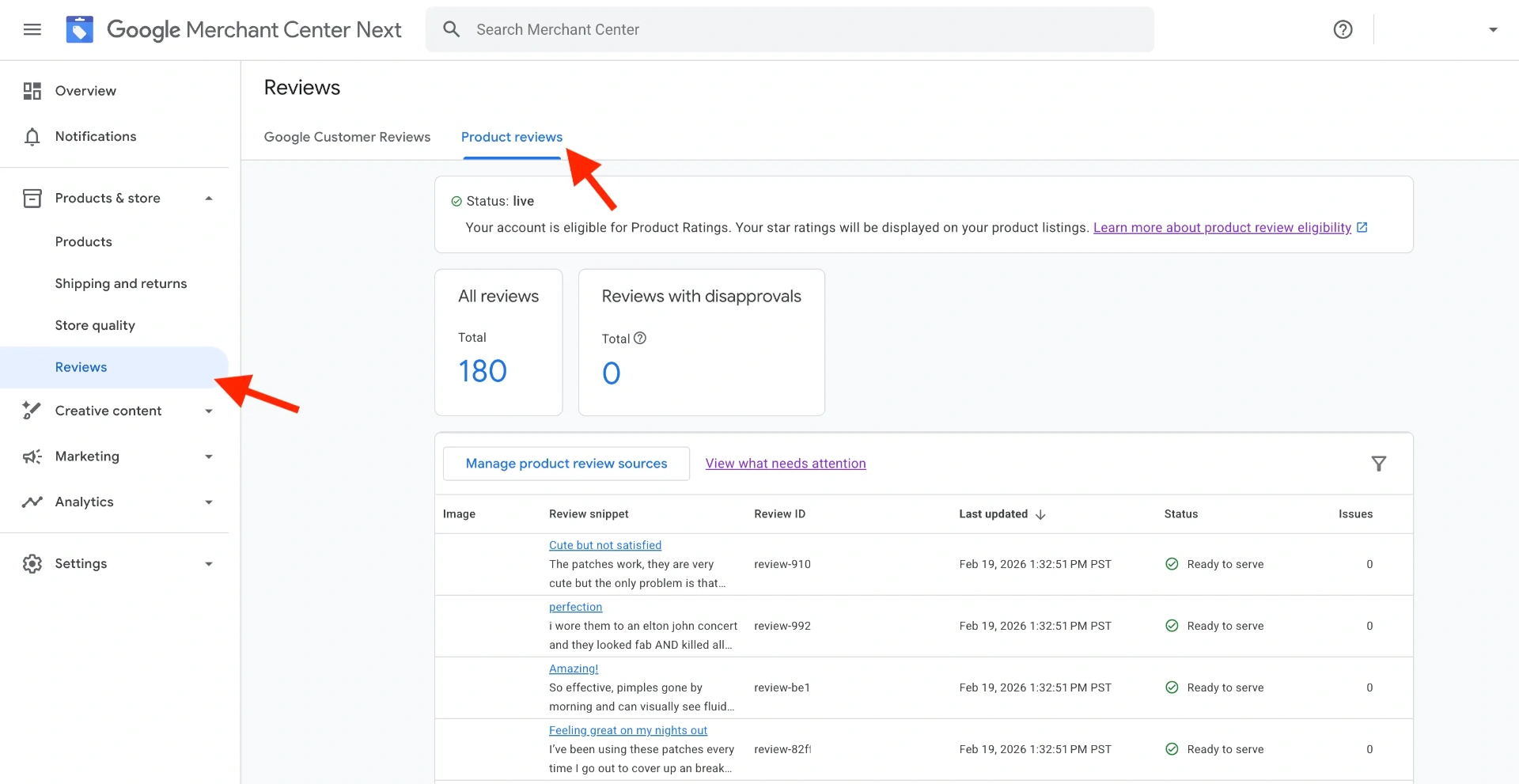
Step 1: Go to Product Reviews
In Merchant Center, go to Products & store > Reviews > Product reviews.
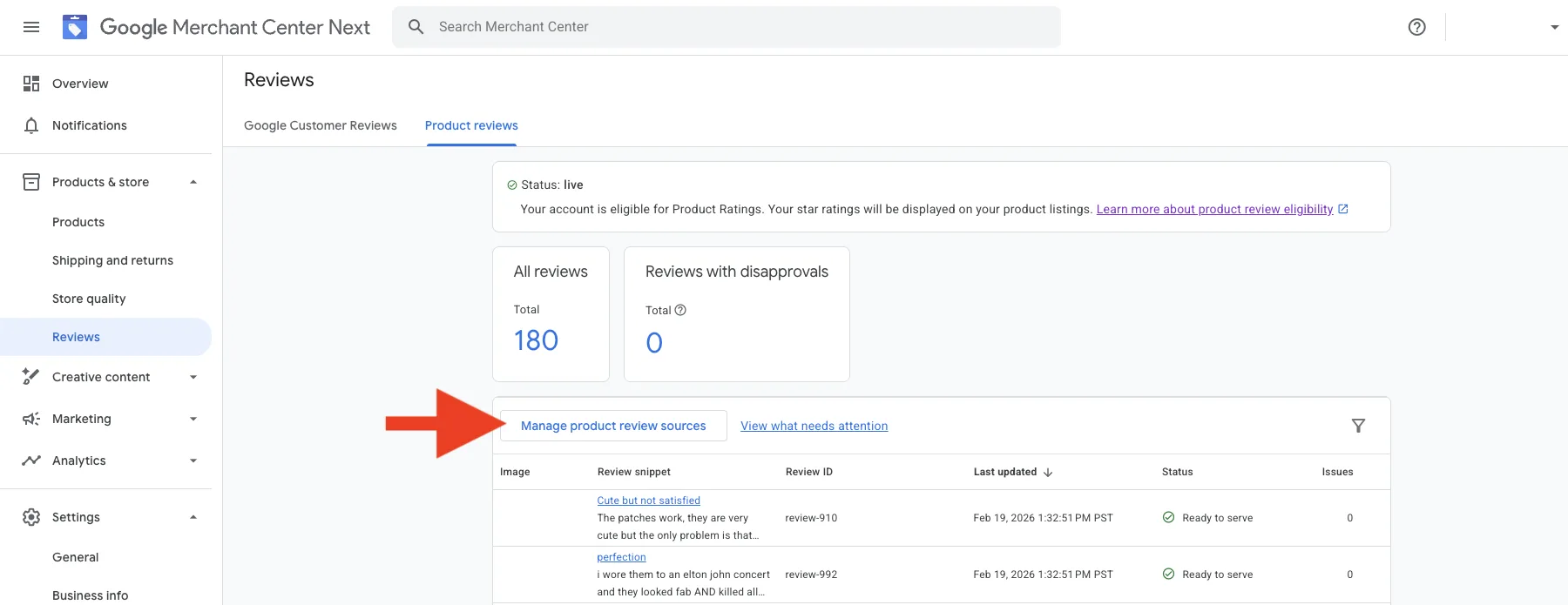
Step 2: Open Manage Product Review Sources
Click Manage product review sources, then Add product review source.
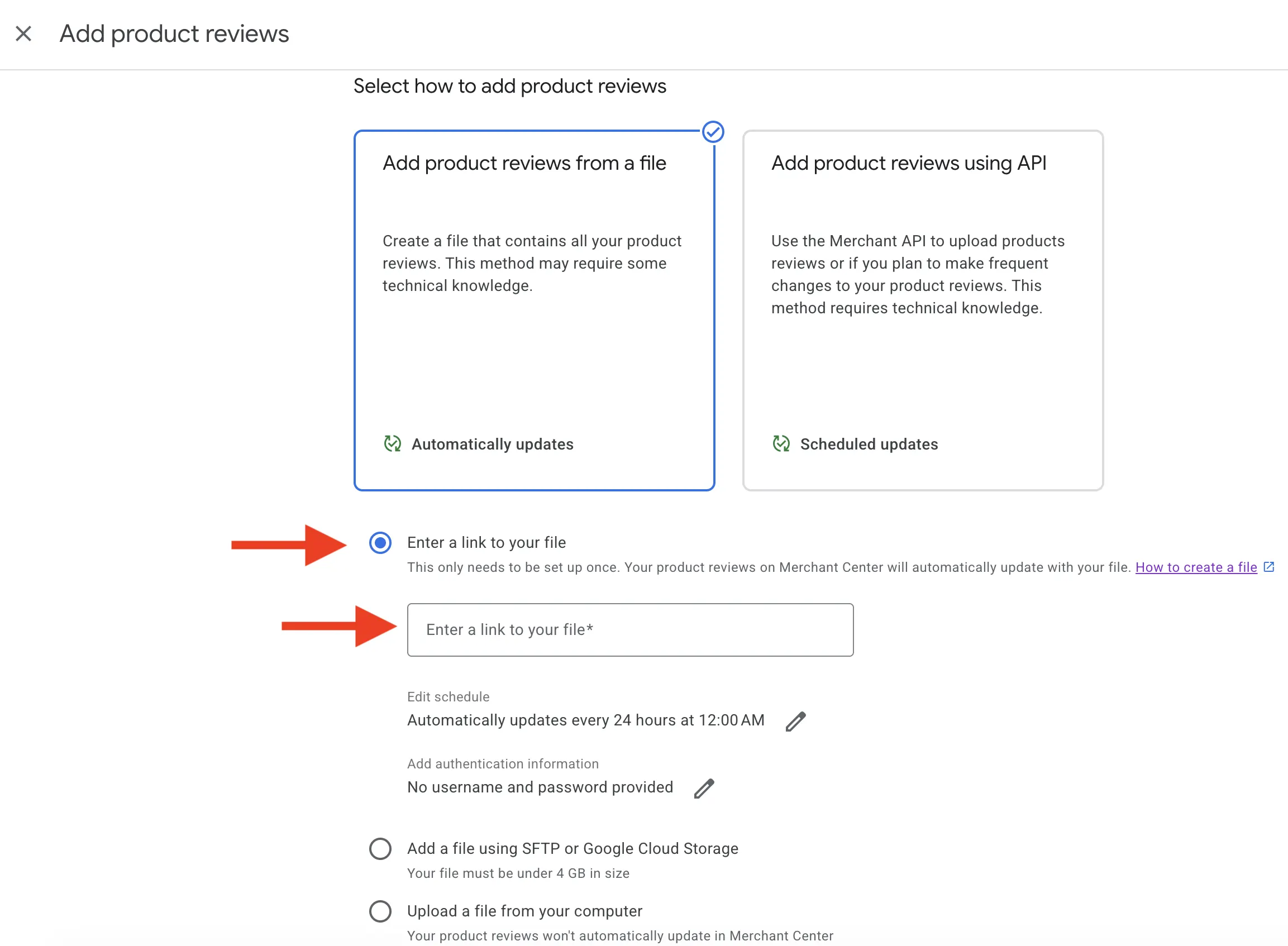
Step 3: Add your feed
Choose Enter a link to your file and paste your Review2XML feed URL. Google re-fetches it automatically.
Step 4: Wait for Google to review your feed
The feed shows an Inactive status while Google checks it. That's normal, just wait.
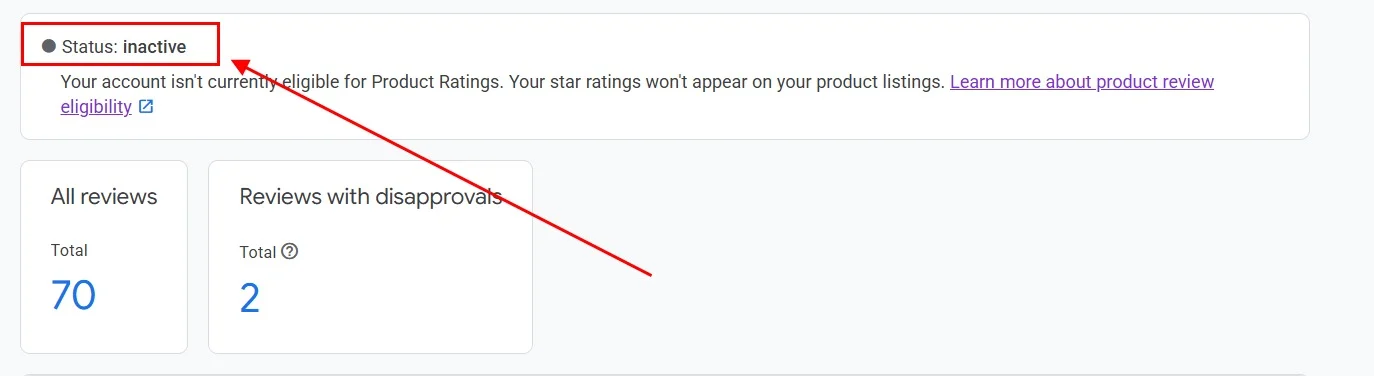
Once the feed goes Live, star ratings start appearing on your eligible Google Shopping listings. Google says this usually takes 2 to 4 weeks for a first submission.

Comparing your options? See which Shopify review apps sync to Google Shopping, on which plan and at what price.
Using a CSV export? See how CSV and Google Sheets uploads work on the Review2XML features page.
FAQ
Does Trustpilot send product reviews to Google Shopping? Trustpilot is one of Google's Product Ratings partners, but its Google Shopping integration is a paid add-on module, not part of its core plans. Review2XML is an alternative: upload your Trustpilot product review CSV and Review2XML builds the feed and connects it to Merchant Center for you, from $6/month, with your first 50 reviews free.
Do Trustpilot company reviews show as stars on Google Shopping? No. Google Shopping product stars only use product reviews. Company or service reviews are a different thing and can't be used in a Product Ratings feed.
How long does it take for stars to appear on Google Shopping? Google says onboarding usually takes 2 to 4 weeks for a first submission. Review2XML's part takes minutes.
What happens when I get new Trustpilot reviews? Export a fresh CSV from Trustpilot and upload it in your Review2XML dashboard. Your hosted feed URL stays the same and updates in place, so there's nothing to change in Merchant Center.
Found this helpful? See more of our guides on Google.
Add as preferred source on Google