
How to Get Judge.me Reviews on Google Shopping
If you collect reviews with Judge.me on your Shopify store, you can get those reviews showing as star ratings on Google Shopping. The fastest way is to let Review2XML auto-sync your Judge.me reviews into a Google-compliant Product Ratings feed and connect it to Google Merchant Center in one click. No CSV exports, no XML editing, no column mapping. Your first 50 reviews are free. This guide covers both the one-click method and the manual CSV method.
The fast way: one-click Judge.me auto-sync
Review2XML can pull your Judge.me reviews for you and push the feed straight into Merchant Center.
- Go to review2xml.com and enter your store URL. Review2XML auto-detects your business name, logo, and country.
- Choose Judge.me and paste your Judge.me Private API token (in Judge.me: Settings → Integrations → API tokens, then copy the Private token). Review2XML fetches your reviews and maps every field to Google's Product Ratings schema automatically.
- Click Connect Google Merchant Center and Review2XML pushes your feed straight in through Google's official Merchant API. (Prefer to paste a link? You also get a hosted feed URL.) Your feed then auto-syncs daily as you collect new reviews.
Your first 50 reviews go live free, no credit card, and because Google needs 50+ reviews before it shows stars, the free tier is often all you need to get started.
Prefer a CSV? Export your reviews from Judge.me
If you'd rather upload a file, Judge.me lets you export all your reviews from within Shopify Admin:
- Open your Shopify Admin and click Judge.me in the left sidebar.
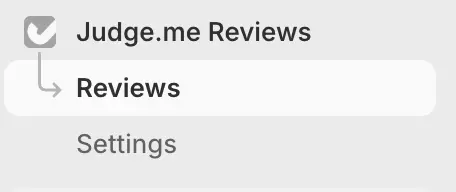
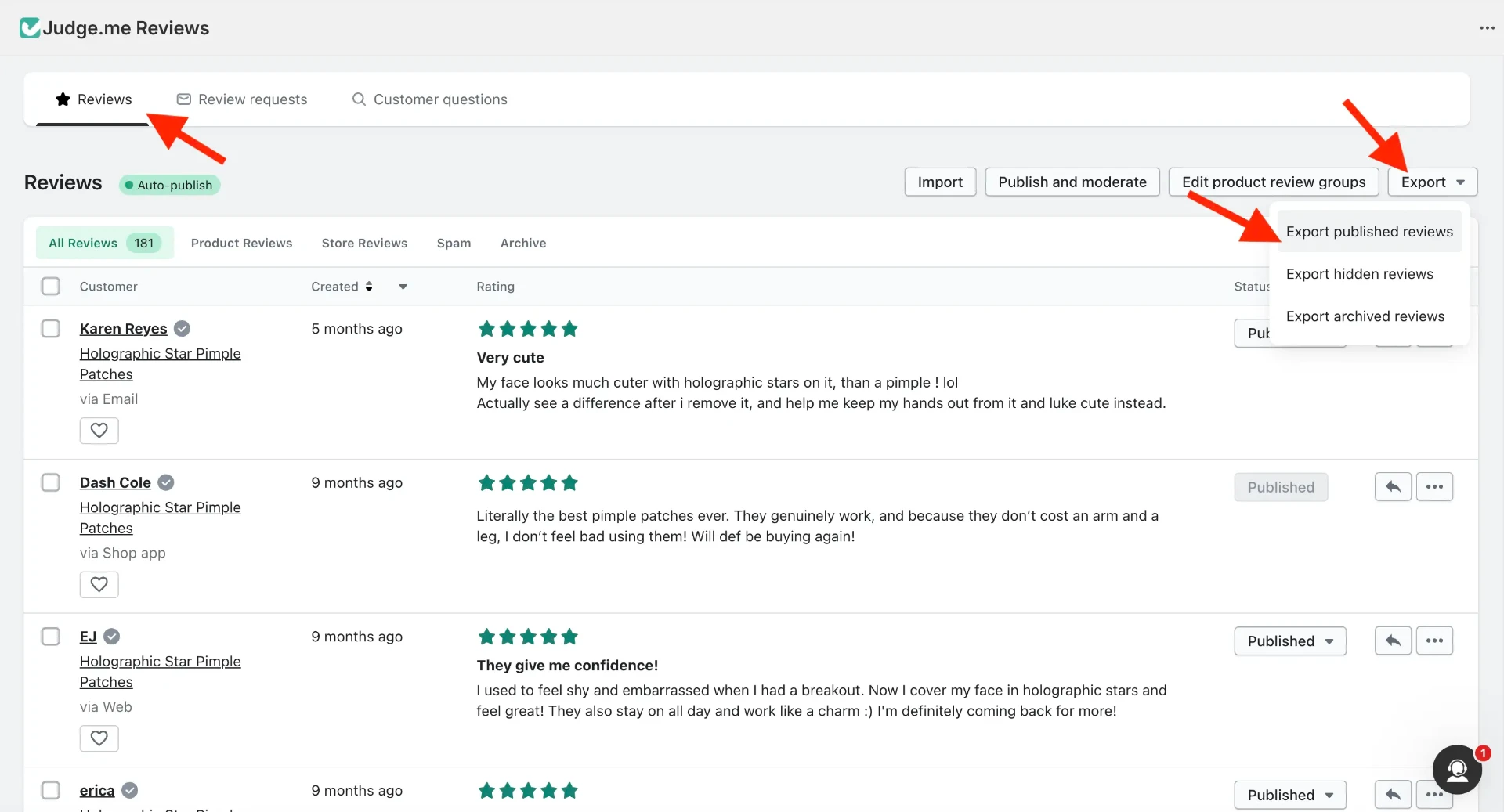
- Inside Judge.me, go to Settings, scroll to the Export section, and click Export to export all reviews as a CSV file.
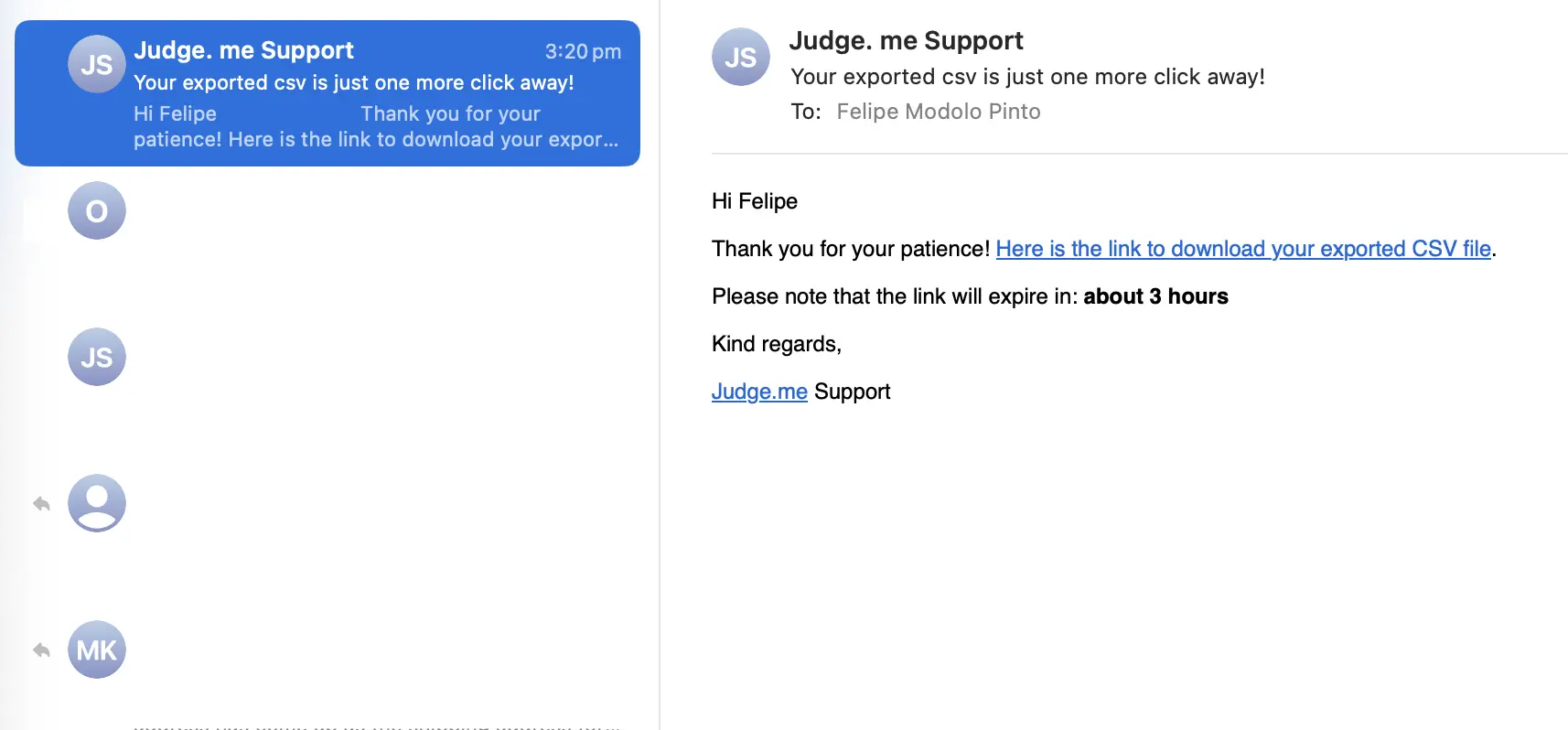
- Judge.me processes the export and emails a CSV to your account address. Download it and save it somewhere easy to find.
Turn your CSV into a Google Product Ratings feed
Google Merchant Center doesn't accept a raw CSV. It needs a specific format called a Google Product Ratings XML feed. Upload your Judge.me CSV to Review2XML and it validates your data, auto-detects the columns (Judge.me exports use standard names, so this is automatic), and builds the feed for you. You can preview your product cards with their star ratings before anything goes live, and your first 50 reviews are free.
Add your feed to Google Merchant Center
However you connected your reviews, the feed goes into Google Merchant Center under Product Reviews. With Review2XML's one-click connect this is done for you. To add it manually:
-
Log in to Google Merchant Center and open your account.
-
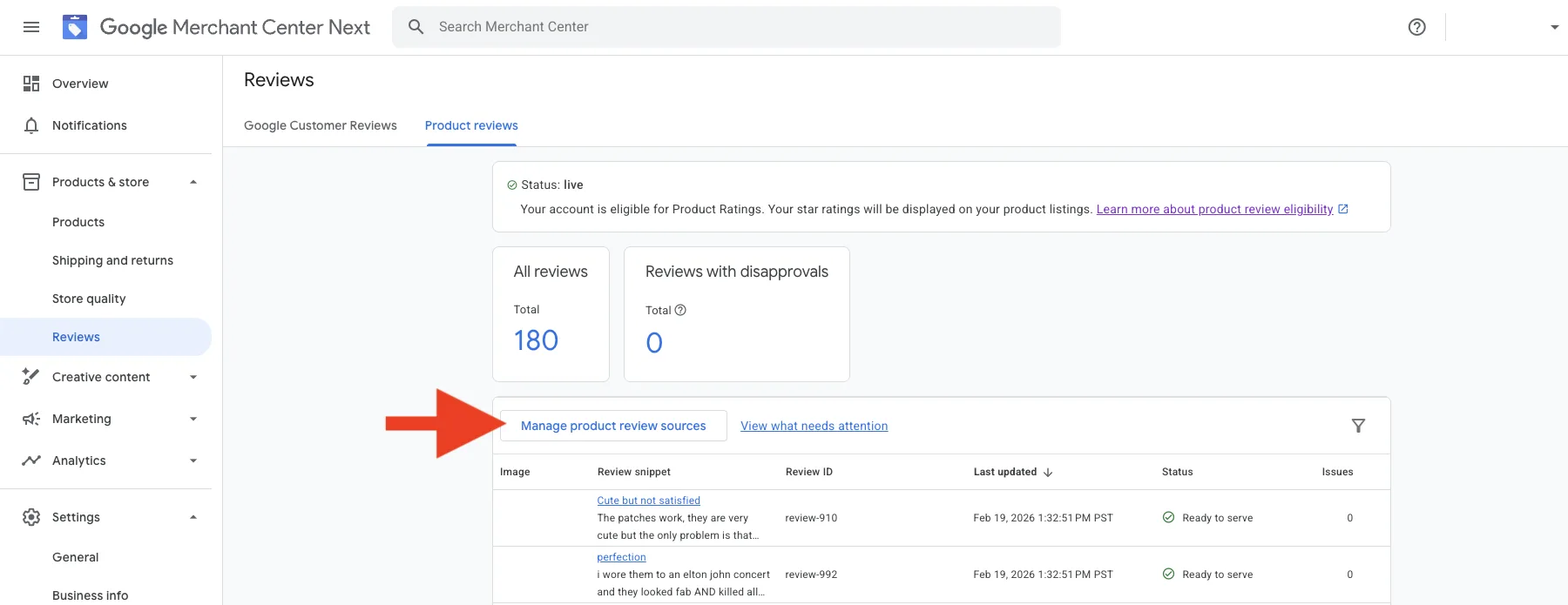
In the left menu, go to Products → Reviews → Product reviews.
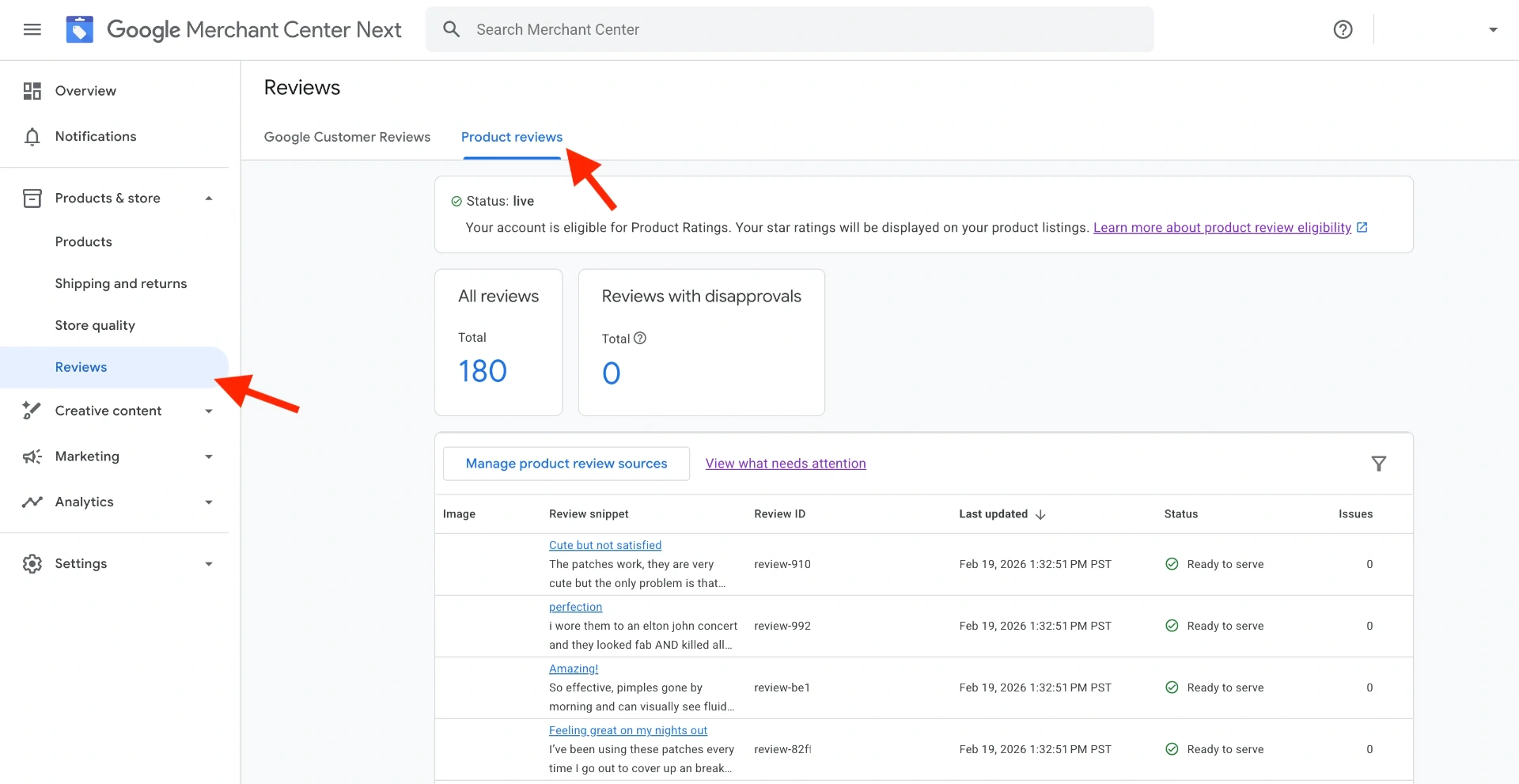
- Click Manage product review sources.
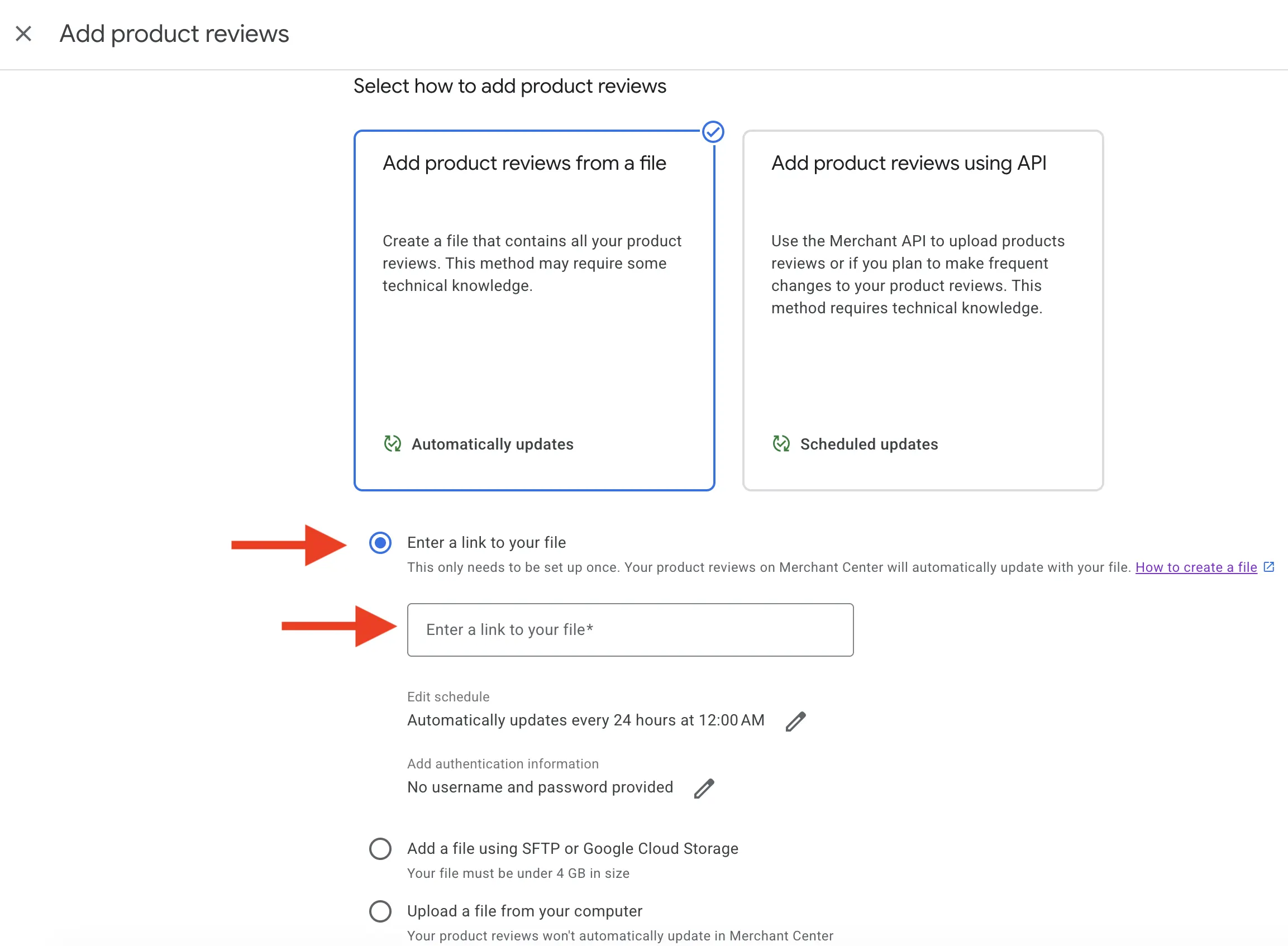
- Click Add product review source, choose Enter a link to your file, and paste your Review2XML feed URL. Because it's a hosted URL, Google re-fetches it automatically, so you never have to re-upload.
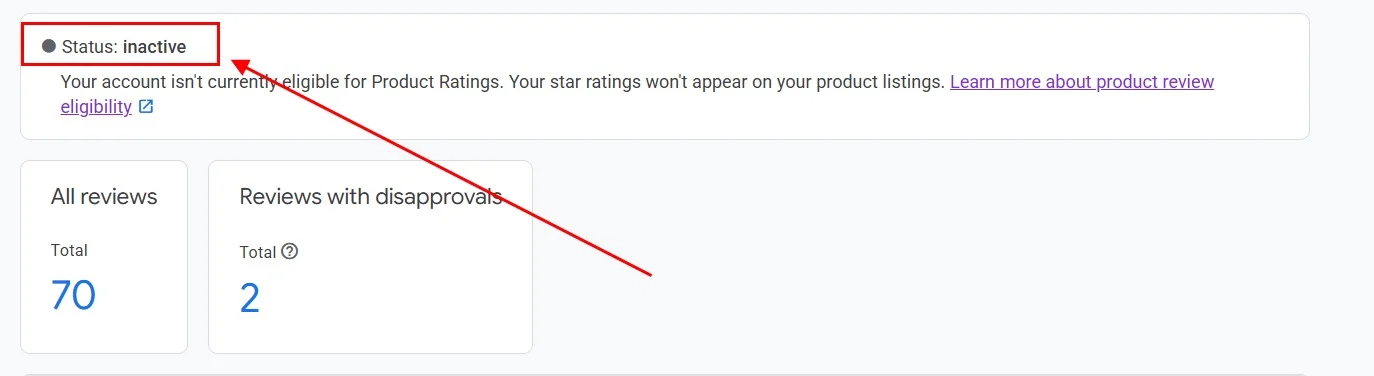
- The feed status shows Inactive while Google processes it. This is normal, and first submissions can take a few days.
- Once approved, the status changes to Live and your reviews are active in the Product Ratings program. Star ratings then start appearing on your Google Shopping listings.

Google typically takes 2 to 4 weeks to approve a new reviews feed and for star ratings to appear on your ads. First-time submissions sometimes take longer.
Keeping your feed up to date
If you connected Judge.me by auto-sync, new reviews flow to Google automatically, every day, so there's nothing to do. If you used a CSV, upload a new one from your Review2XML dashboard and your hosted feed refreshes in place; Google fetches the update on its own. Either way, there are no monthly manual re-uploads.
FAQ
Does Judge.me connect directly to Google Shopping? Not on its own. Google needs a Product Ratings XML feed, which Judge.me doesn't produce. Review2XML bridges that gap: it auto-syncs your Judge.me reviews via the Judge.me API (one click, no export) and, through Google's official Merchant API, connects the feed to Google Merchant Center for you.
How many reviews do I need before stars appear on Google Shopping? Google requires a minimum of 50 product reviews across your store, and you need to be enrolled in the Google Product Ratings program via Merchant Center. Because the first 50 reviews are free on Review2XML, you can get fully set up at no cost.
Will all my existing Judge.me reviews appear on Google Shopping? Google's program is for product-level ratings, so each review is matched to a specific product via a unique identifier (usually a GTIN or SKU). Reviews that can't be matched to a product may be excluded. Review2XML flags identifier issues so you can fix them.
How long does it take for stars to appear after I connect the feed? Google usually takes a few days to process the feed and a few more weeks for star ratings to appear on your Shopping listings, up to about 4 weeks for a first-time submission.
Can I update my reviews later when I collect new ones? Yes, and with auto-sync it's automatic. Review2XML keeps your hosted feed up to date and Google re-fetches it, so you never touch it again. If you used a CSV, just upload a new one from your dashboard.
Is it free? Your first 50 reviews go live on Google Shopping free, with no credit card. Paid plans (from $6/month) unlock unlimited reviews and keep everything auto-syncing daily.
Found this helpful? See more of our guides on Google.
Add as preferred source on Google