
How to Get WooCommerce Reviews on Google Shopping (Star Ratings Guide)
How to Get WooCommerce Reviews on Google Shopping (Star Ratings Guide)
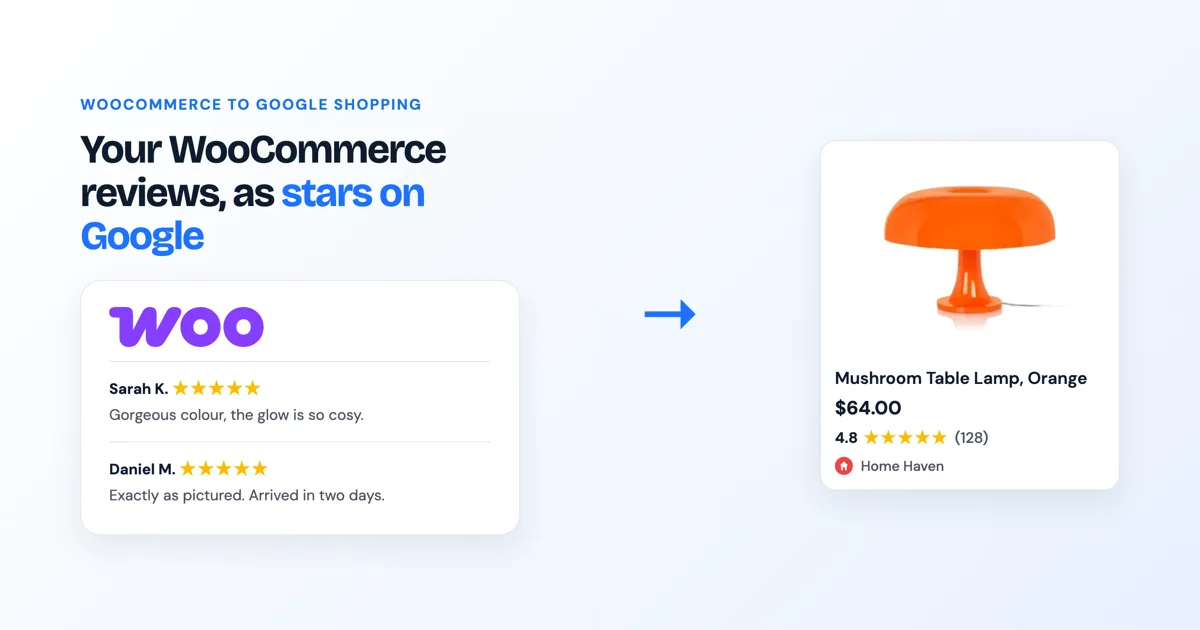
You collect product reviews in WooCommerce, they show on your product pages, maybe even in regular Google search results. But on Google Shopping your products still have no stars. This guide explains why, and how to get your WooCommerce reviews showing as star ratings on Google Shopping in a few minutes, with no plugin to install and no API key.
Why your WooCommerce reviews don't show on Google Shopping
Google shows review stars in two different places, and they work in completely different ways.
Google Search (the regular blue links) can show stars straight from your product page. WooCommerce adds review data to every product page, so Google can read your rating and review count when it crawls the page. That is why some WooCommerce stores already see stars in normal search results.
Google Shopping (the Shopping tab, product cards and Shopping ads) does not read your product pages for reviews. Its stars come from Google Merchant Center, and Merchant Center only takes reviews through a product reviews feed: a file in Google's own review format that lists every review, the product it belongs to, and that product's identifiers. No feed, no stars, no matter how many reviews your store has.
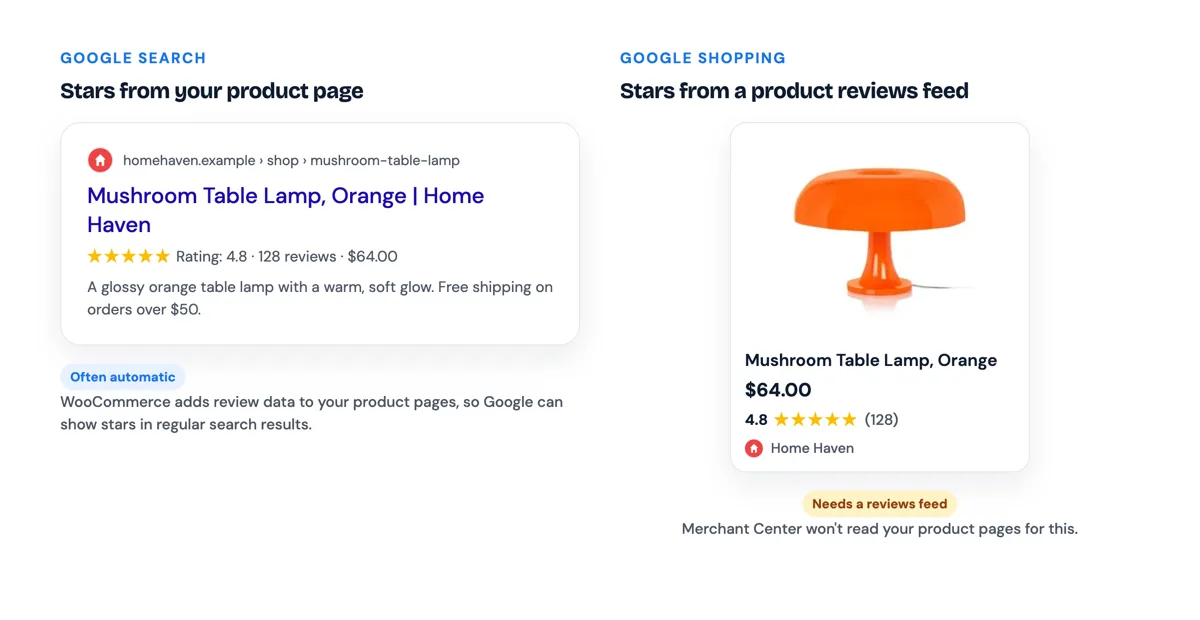
So if your stars show in search but not on Shopping, nothing is broken. You are just missing the feed.
Does Google for WooCommerce send my reviews to Merchant Center?
Google's WooCommerce extension handles your product feed: titles, prices, images and stock. Product reviews are a separate feed in Merchant Center, so connecting your store with Google's extension alone won't put stars on your Shopping listings. You still need a product reviews feed next to it.
Can I export WooCommerce reviews to a CSV?
Not with WooCommerce itself. Core WooCommerce has no review export: the product CSV exporter skips reviews. You would need an extra export plugin, then you would still have to turn that file into Google's review format, fix the product identifiers, upload it, and repeat the whole thing every time you get new reviews.
That is the part Review2XML removes.
How to get WooCommerce reviews on Google Shopping with Review2XML
Review2XML reads your WooCommerce product reviews straight from your store and turns them into a Google-ready product reviews feed that updates itself every day.
Step 1: Enter your store address
Go to review2xml.com/start and type your store's web address. There is nothing to install on WordPress and no API key to create.
Step 2: Pick WooCommerce
Choose WooCommerce as the place your reviews live. Review2XML finds your product reviews in one click and shows you how many it found, with a few real reviews as a preview.
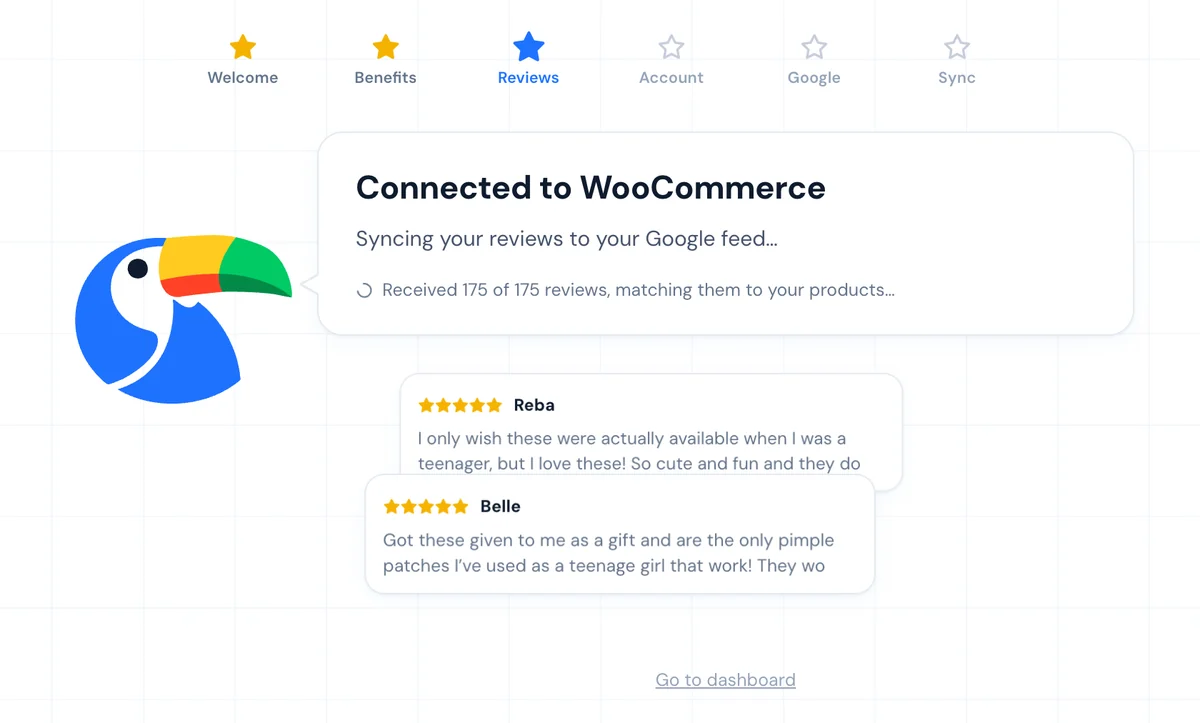 Review2XML syncs your WooCommerce reviews, no plugin or API key needed.
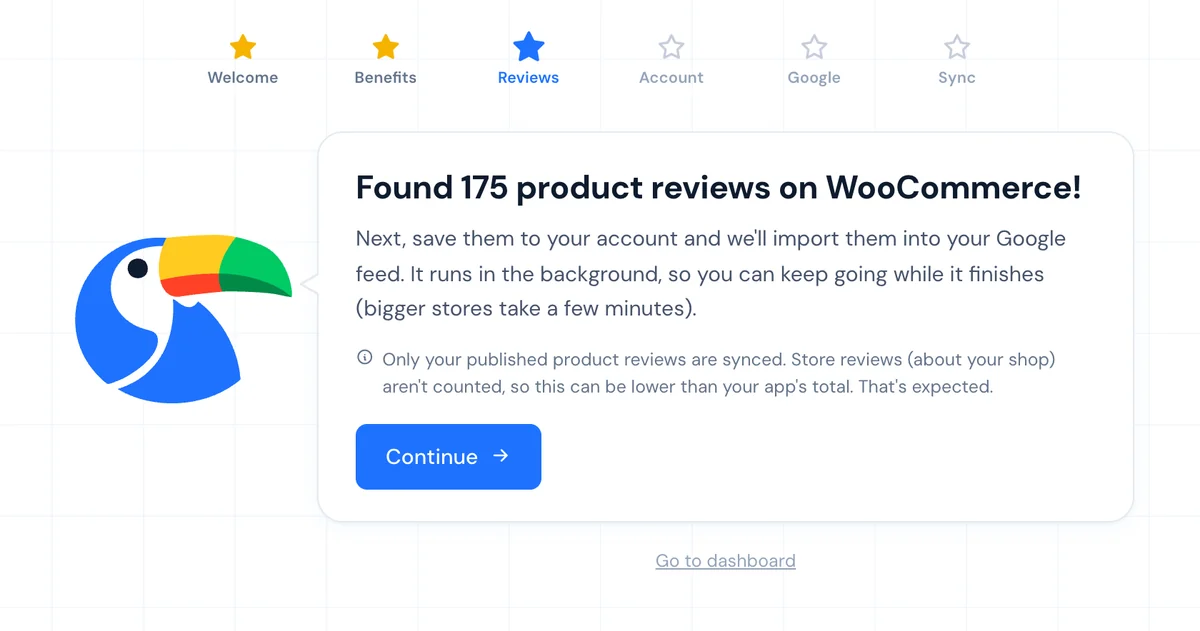 See how many WooCommerce reviews were found, then click Continue.
Step 3: Check your products
Every review is matched to its product. Review2XML also pulls each product's SKU, GTIN and brand from your store, because Google uses those identifiers to attach reviews to the right product in Shopping. You see your products as Google Shopping style cards with their stars before anything goes live.
Step 4: Connect Google Merchant Center
Connect Merchant Center in one click through Google's official Merchant API, or copy your feed link into Merchant Center yourself. From then on your feed syncs every day: new reviews go to Google automatically, with no re-exporting.
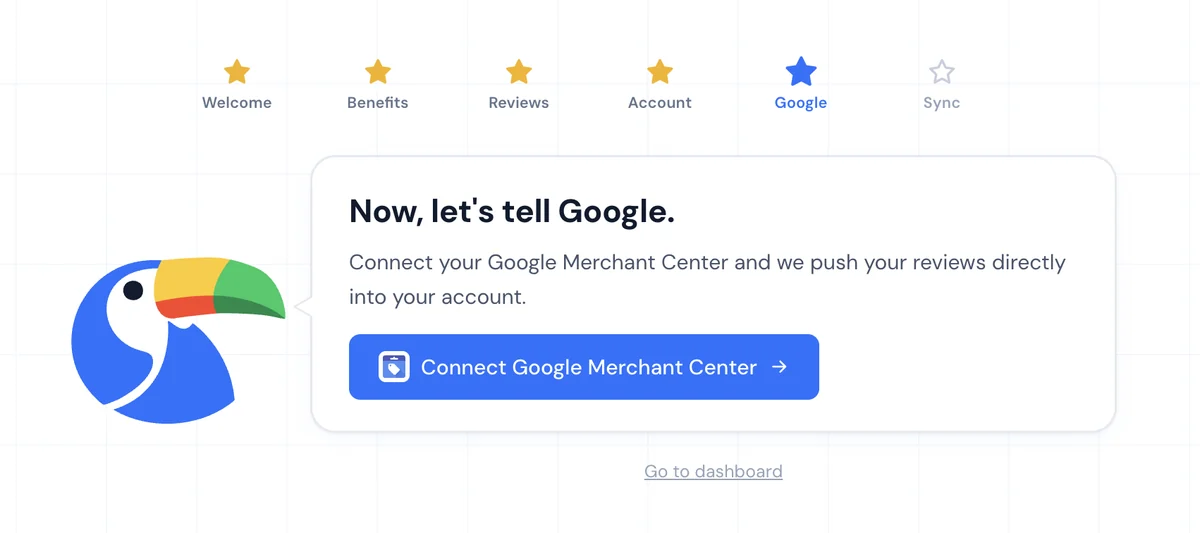 Connect Google Merchant Center in one click.
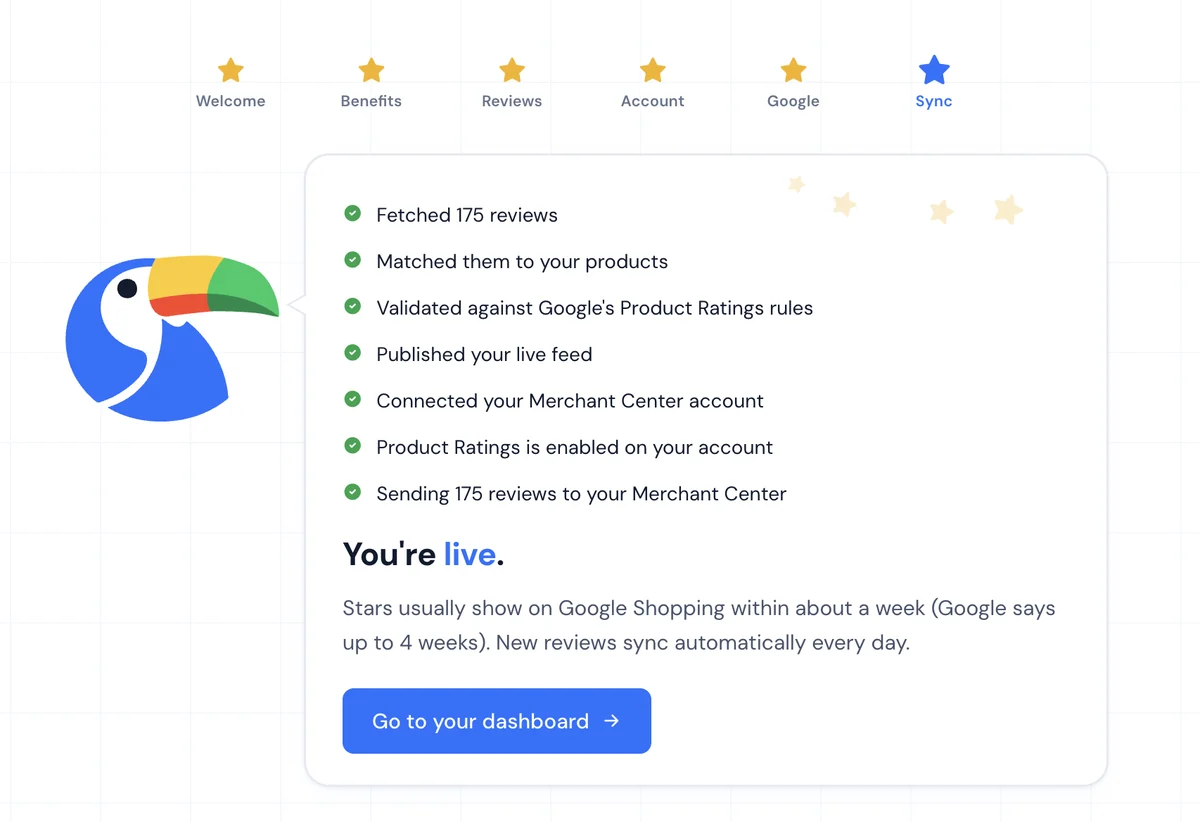 You're live: reviews validated and sent to your Merchant Center.
Which WooCommerce reviews get sent to Google?
- Every approved product review with a star rating. Pending, spam and trashed reviews are never included.
- Verified owner badges carry over. If WooCommerce marked the reviewer as a verified owner (they bought the product while logged in), the review goes to Google as a verified purchase.
- Reviews without stars are left out. If your store makes star ratings optional, a review with no rating is just a comment to Google, and it can't show as a star rating.
- Names stay private. Reviewers appear as first name and last initial, for example "Sarah K.", never their full surname or email.
A quick tip: in WooCommerce, go to Settings, then Products, and make sure "Enable star rating on reviews" is on, and ideally "Star ratings should be required, not optional". Every new review then counts toward your stars on Google.
Using another review app on WooCommerce?
Pick whichever app your reviews actually live in. If your WooCommerce store collects reviews with Reviews.io, pick Reviews.io: it syncs in one click too, with no API key. For any other review plugin, export your reviews and upload the CSV, or keep them in a Google Sheet and paste the link. Review2XML maps the columns to Google's format for you.
How long until stars show on Google Shopping?
Your feed is ready in minutes. Google then reviews it in Merchant Center, and stars usually start appearing on your Shopping listings within 2 to 4 weeks. A product's stars show on Shopping ads once it has at least 3 reviews, so your most reviewed products light up first.
How much does it cost?
Your first 50 reviews are free, with the same daily sync. Bigger stores can sync every review from $6 a month, $59 a year, or $129 once for Lifetime.
Start free at review2xml.com and see your WooCommerce reviews as Google Shopping cards in a couple of minutes.
See how one-click review sync works and what connecting Merchant Center does on the Review2XML features page.
FAQ
How do I show WooCommerce product reviews on Google Shopping? Google Shopping only shows stars from a product reviews feed in Google Merchant Center. Review2XML builds that feed from your WooCommerce reviews: enter your store address at review2xml.com/start, pick WooCommerce, and connect Merchant Center. The feed then updates every day.
Why do my WooCommerce stars show in Google search but not on Google Shopping? Search stars come from review data on your product pages, which WooCommerce adds for you. Google Shopping ignores that and only uses a product reviews feed submitted through Merchant Center, so you need the feed as well.
Does the Google for WooCommerce extension send product reviews? It sends your product catalog to Merchant Center. Product reviews are a separate feed, so you still need a product reviews feed to get stars on Shopping listings.
Do I need to install a WordPress plugin? No. Review2XML connects from your store address. There is nothing to install on WordPress and no API key to create.
Can I export WooCommerce reviews to CSV? Not with core WooCommerce, it has no review export. You would need a third-party export plugin, and then convert the file to Google's format yourself. Review2XML skips that step entirely.
Do WooCommerce verified owner badges count on Google? Yes. Reviews WooCommerce marks as from a verified owner are sent to Google as verified purchases.
Will reviews without a star rating show on Google? No. Google needs a rating to show stars, so WooCommerce reviews left without stars are not included. Turn on required star ratings in WooCommerce settings to make every new review count.
Do my products need GTINs? They help a lot. Google uses identifiers like GTIN, MPN with brand, or SKU to match reviews to your products. Review2XML pulls these from your store automatically, so you rarely need to add anything by hand.
How long does it take for stars to appear on Google Shopping? Your feed is ready in minutes, and stars usually appear within 2 to 4 weeks once Google has reviewed it in Merchant Center.
Is it free? Yes for your first 50 reviews, including the daily sync. Paid plans start at $6 a month for every review.
Found this helpful? See more of our guides on Google.
Add as preferred source on Google